
- Home
- >
- Community Archive
- >
- Public Archive
- >
- Archived Discussions (Read Only)
- >
- Re: Require address on on-line donation

- Subscribe to RSS Feed
- Mark Thread as New
- Mark Thread as Read
- Float this Thread for Current User
- Printer Friendly Page
Require address on on-line donation
I'm using Checkout Links to receive on-line donations and memberships.
However, I need to require Address, and that option isn't presented (even though I have it selected in Settings > Checkout > Advanced Settings > Always Collect Buyer Address for:
- Mark as New
- Subscribe to RSS Feed
- Permalink
- Report



- Subscribe to RSS Feed
- Mark Thread as New
- Mark Thread as Read
- Float this Thread for Current User
- Printer Friendly Page
Hi there @rickss!
The settings you are referring to here in your post are settings related to the checkout function of your Square Online website, rather than settings related to Square Online Checkout links, which are a separate tool entirely.
It's not currently possible to collect buyer address via a checkout link in the same way you are able to when customers checkout through your website. There is only one type of Square Online Checkout links that will request a customer's address, and it is the Sell an Item option:
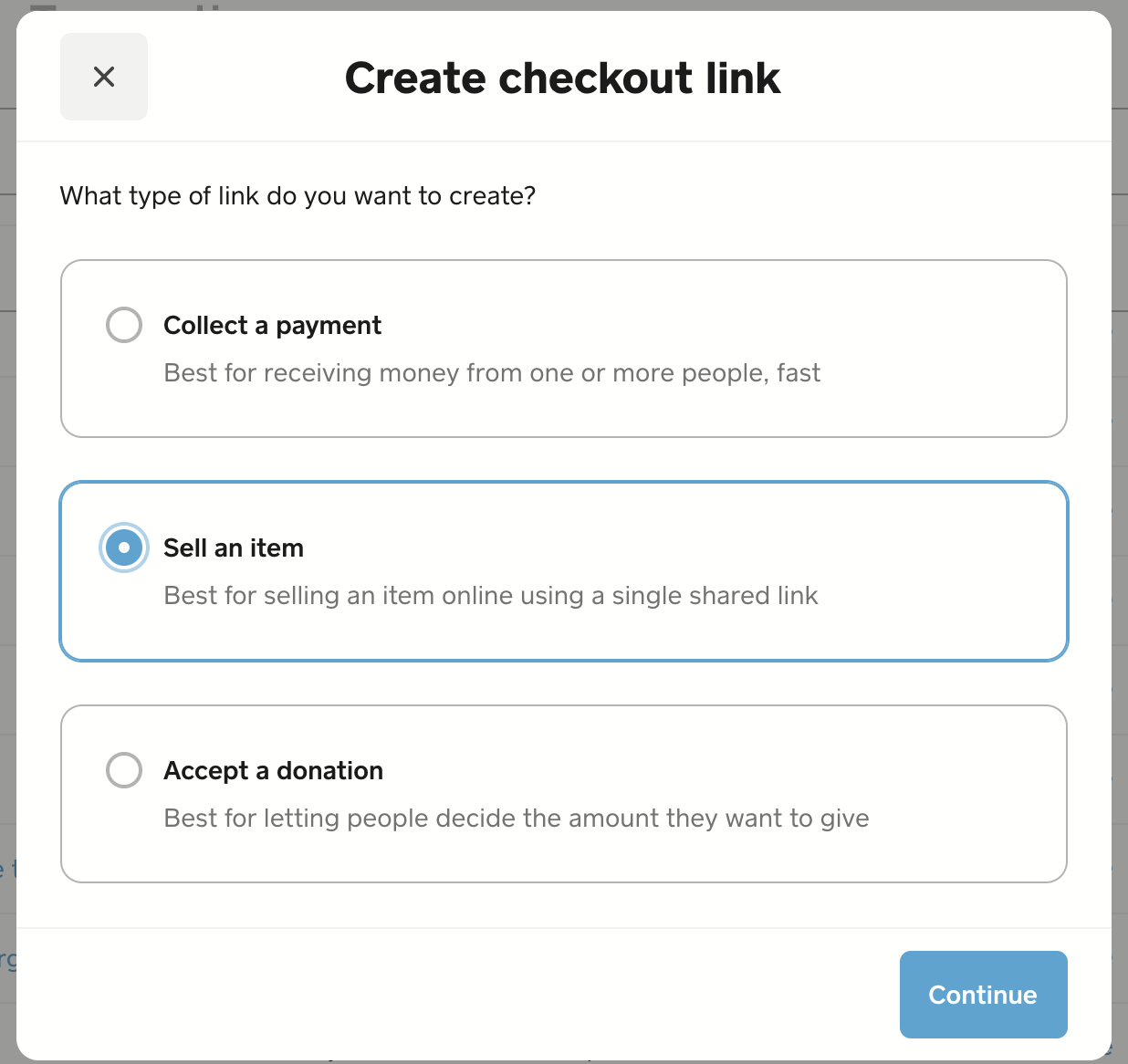
You'll want to ensure that Shipping is a fulfillment option via your Online overview pages:
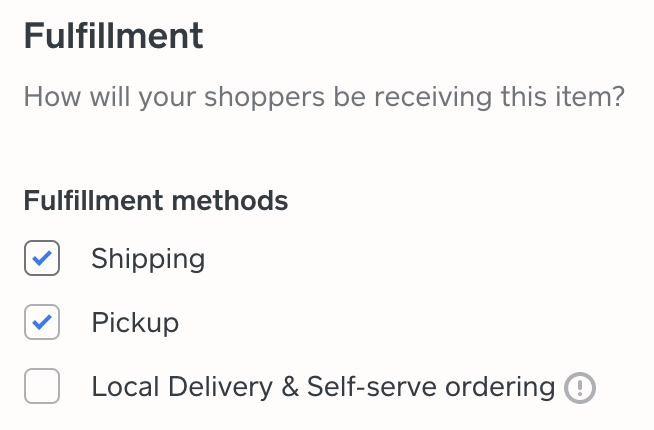
Once you've made sure your option is shippable, a Sell an Item checkout link will ask for your customer's shipping address:
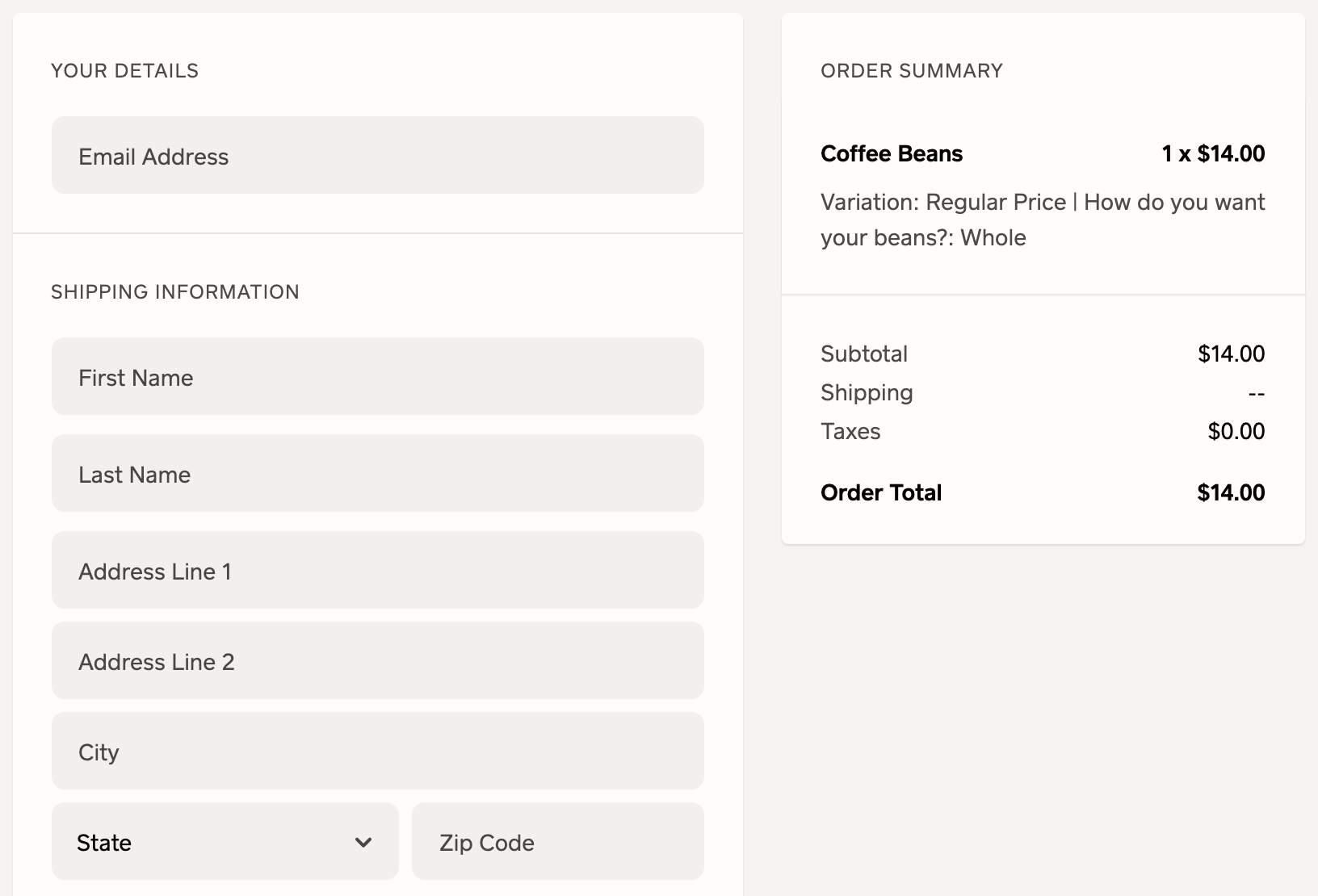
Community Moderator, Square
Sign in and click Mark as Best Answer if my reply answers your question.
- Mark as New
- Subscribe to RSS Feed
- Permalink
- Report
- Subscribe to RSS Feed
- Mark Thread as New
- Mark Thread as Read
- Float this Thread for Current User
- Printer Friendly Page
That's a shame - that means it's mostly useless in the context of non-profits collecting donations, where they want to be able to get the address for tax purposes.
- Mark as New
- Subscribe to RSS Feed
- Permalink
- Report

Square Community