
- Home
- >
- Community Archive
- >
- Public Archive
- >
- Archived Discussions (Read Only)
- >
- Re: Download inventory with item URLs for Facebook...
Our platform team is working to resolve this issue. Thank you for your patience!
If you can't find what you need, feel free to start a new thread!

- Subscribe to RSS Feed
- Mark Thread as New
- Mark Thread as Read
- Float this Thread for Current User
- Printer Friendly Page
Download inventory with item URLs for Facebook Shop
I'm trying to update my Facebook Shop. I already have the integration set up through Square and my items initially populated on Facebook, but I have to update my inventory. From what I've read though, I need to have a data feed file hosted somewhere (Google Drive for me) for the shop to update. One of the required fields is the item URL which does not appear when I export the item library from Square, but there isn't an option to export the item library from the online module. Is there a way to add that field, or is a download for this purpose available somewhere else?
- Mark as New
- Subscribe to RSS Feed
- Permalink
- Report



- Subscribe to RSS Feed
- Mark Thread as New
- Mark Thread as Read
- Float this Thread for Current User
- Printer Friendly Page
Hi and welcome to the Seller Community! 🎉
Hm, I'm not familiar with the integration process you've described here.
Have you been following the directions outlined in this article? If you follow these steps, things should sync up automatically for you. The Importing Your Items section explains how your Item Library will automatically be synced when following our steps.
It sounds like you might be instead referring to this page from Facebook's Business Help Center. Facebook would be the best folks to reach out to, as they manage this part of the integration and will best be able to guide you. I'm not an expert on the integration process laid out here, but it looks like you may just need to drop the URL for your item pages. You should be able to grab this by going to your website and clicking on the item, then copying the URL information in the URL bar.
I hope this helps, @jlynnhandmade!
Community Moderator, Square
Sign in and click Mark as Best Answer if my reply answers your question.
- Mark as New
- Subscribe to RSS Feed
- Permalink
- Report
- Subscribe to RSS Feed
- Mark Thread as New
- Mark Thread as Read
- Float this Thread for Current User
- Printer Friendly Page
@Valentina yes, I did the steps in that article. When I first set it up, all my items were in my FB shop correctly. But when I added new items to my Square online store, the next automatic sync to FB shops deleted all my previous inventory and only listed the items I added. I ended up deleting the shop entirely and starting all over, which worked. I'll be curious to see when I add items to my Square shop if FB deletes all previous inventory again.
The alternative was to download item catalog and host it somewhere (Google Drive) and add/delete items to it as the Square shop changes. That's not ideal, but it was an alternative to having an empty (or almost empty) FB shop in the meantime. However the export Square item library did not include URLs for each individual item, which FB required for the manual import. That's where the question stemmed from - and I wasn't about to copy 100+ individual item URLs manually into a spreadsheet. I just wondered if there was another way to download item inventory in Square into a format FB required. It's a moot point now that I recreated my FB shop but I hope that the next automatic update works properly.
- Mark as New
- Subscribe to RSS Feed
- Permalink
- Report
- Subscribe to RSS Feed
- Mark Thread as New
- Mark Thread as Read
- Float this Thread for Current User
- Printer Friendly Page
Hm, your items should automatically sync when following the steps provided on our website, so long as the Facebook Pixel has been set up properly. Did you try simply running through the Pixel steps again to get to the product page and toggle OFF/ON the sync option?
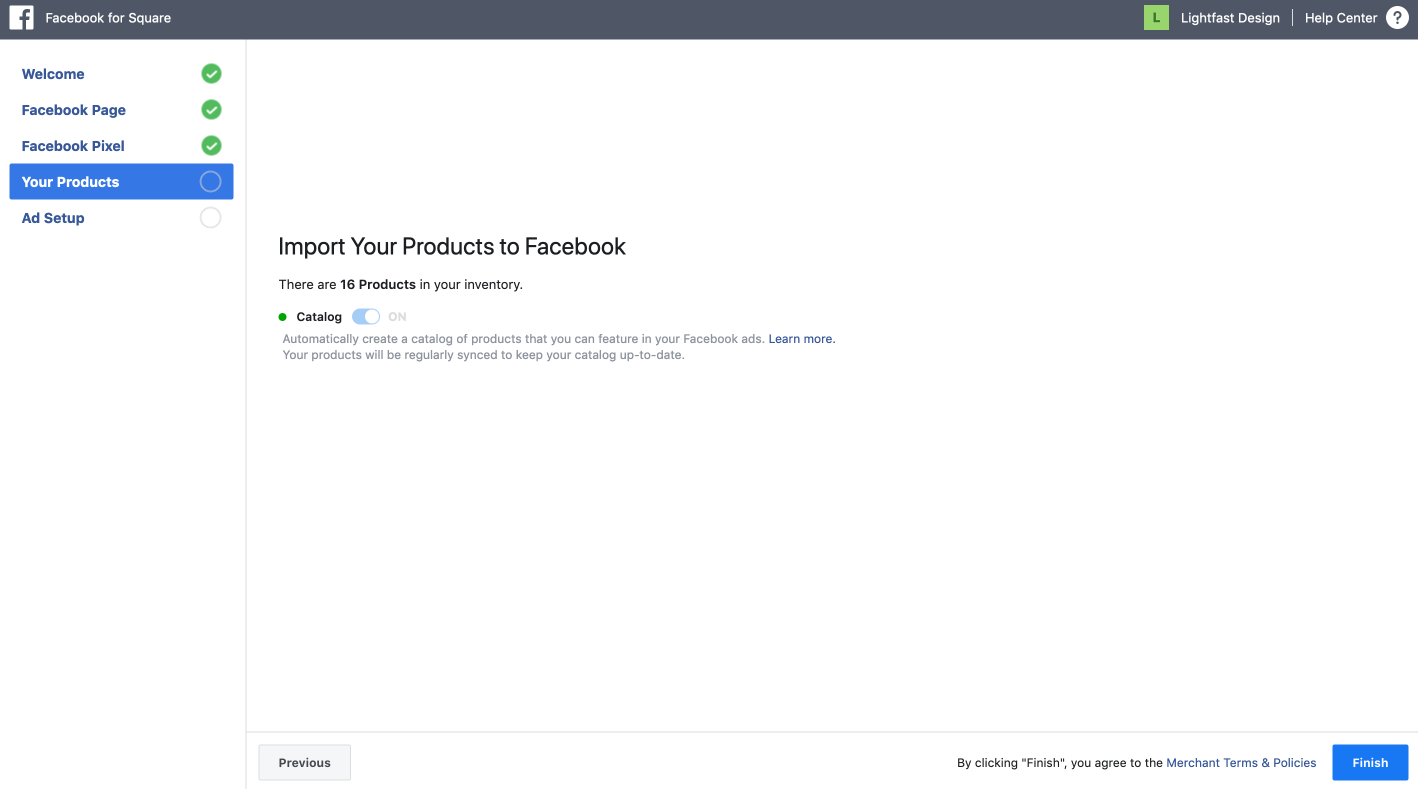
Another question - are you adding items via your Square Dashboard, or your Online overview page?
If you're running into troubles with the manual process, I recommend getting in touch with Facebook for troubleshooting help, as they manage this integration. They are the right folks to contact about the manual process you are attempting, as that is a Facebook process.
Community Moderator, Square
Sign in and click Mark as Best Answer if my reply answers your question.
- Mark as New
- Subscribe to RSS Feed
- Permalink
- Report

Square Community