
- Home
- >
- Community Archive
- >
- Public Archive
- >
- Archived Discussions (Read Only)
- >
- pictures

- Subscribe to RSS Feed
- Mark Thread as New
- Mark Thread as Read
- Float this Thread for Current User
- Printer Friendly Page
pictures
How do I upload pictures?
- Mark as New
- Subscribe to RSS Feed
- Permalink
- Report



- Subscribe to RSS Feed
- Mark Thread as New
- Mark Thread as Read
- Float this Thread for Current User
- Printer Friendly Page
Hey @Wonderful-27 - Do you mind providing more details on what you're looking to do? Are you attempting to upload pictures to your Item Library, online store, or the Community? Once we have more information, we can better assist.
Seller Community UX Designer
- Subscribe to RSS Feed
- Mark Thread as New
- Mark Thread as Read
- Float this Thread for Current User
- Printer Friendly Page
FOR MY ITEM LIBRARY. TKU😊
- Mark as New
- Subscribe to RSS Feed
- Permalink
- Report
- Subscribe to RSS Feed
- Mark Thread as New
- Mark Thread as Read
- Float this Thread for Current User
- Printer Friendly Page
Gotcha. You would just need to select where it says Tap to Edit and you'll be prompted to upload a picture.
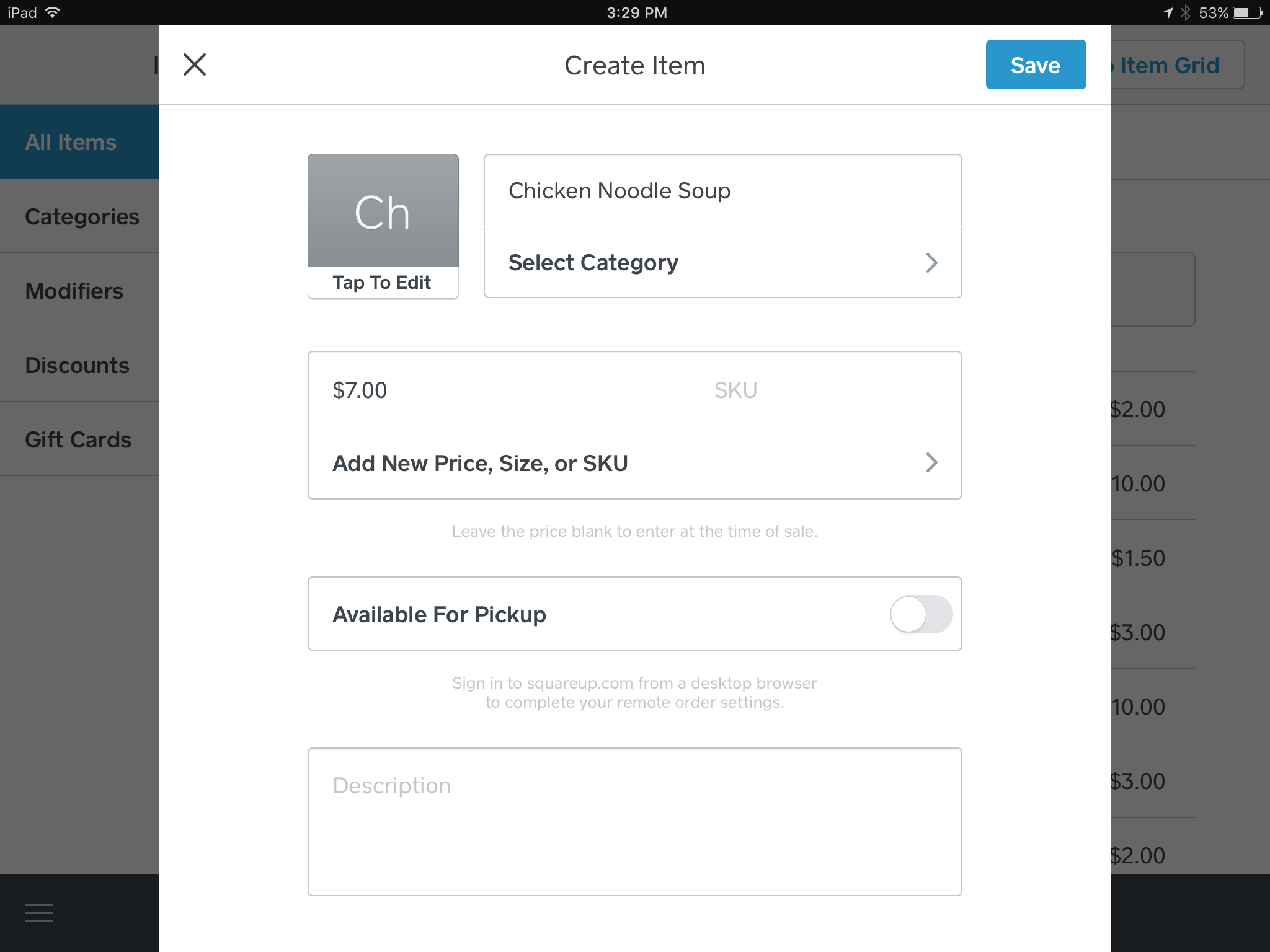
For more information, check out Create and Manage Items.
Seller Community UX Designer

- Subscribe to RSS Feed
- Mark Thread as New
- Mark Thread as Read
- Float this Thread for Current User
- Printer Friendly Page
Do these pictures flow through with the invoice or estimate so prospect/client can see before approving estimate?
- Mark as New
- Subscribe to RSS Feed
- Permalink
- Report

- Subscribe to RSS Feed
- Mark Thread as New
- Mark Thread as Read
- Float this Thread for Current User
- Printer Friendly Page
Hi there, @Aptus! Thanks for chiming in here. Great question!
Item photos will not be displayed on Invoices sent to customers or on estimates. They will however appear during your in-person checkout when the item is selected (for organizational and checkout-ease purposes), and they will also reflect on your Online Store if you have one.
Let me know if you have any further questions!
Community Moderator, Square
Sign in and click Mark as Best Answer if my reply answers your question.
- Mark as New
- Subscribe to RSS Feed
- Permalink
- Report

Square Community