
- Home
- >
- Community Archive
- >
- Public Archive
- >
- Archived Discussions (Read Only)
- >
- Re: appointments not requiring payment

- Subscribe to RSS Feed
- Mark Thread as New
- Mark Thread as Read
- Float this Thread for Current User
- Printer Friendly Page
appointments not requiring payment
Recently, a customer was able to book without entering credit card information, despite the booking setting and the specific service are set up with "Booking with No-Show Protection".
Has anyone else had this problem? And, How did you resolve it?
- Mark as New
- Subscribe to RSS Feed
- Permalink
- Report



- Subscribe to RSS Feed
- Mark Thread as New
- Mark Thread as Read
- Float this Thread for Current User
- Printer Friendly Page
When you turn on No-Show protection, your customer is required to link a card to the appointment, and also has the option to store the card to their profile as a Card on File. If a customer is booking their own appointment, they will only be able to do so by linking a card directly to the appointment. Your customers will not be able to make an appointment on their own without attaching a card to the appointment itself. This is what your customers will see when booking an appointment:
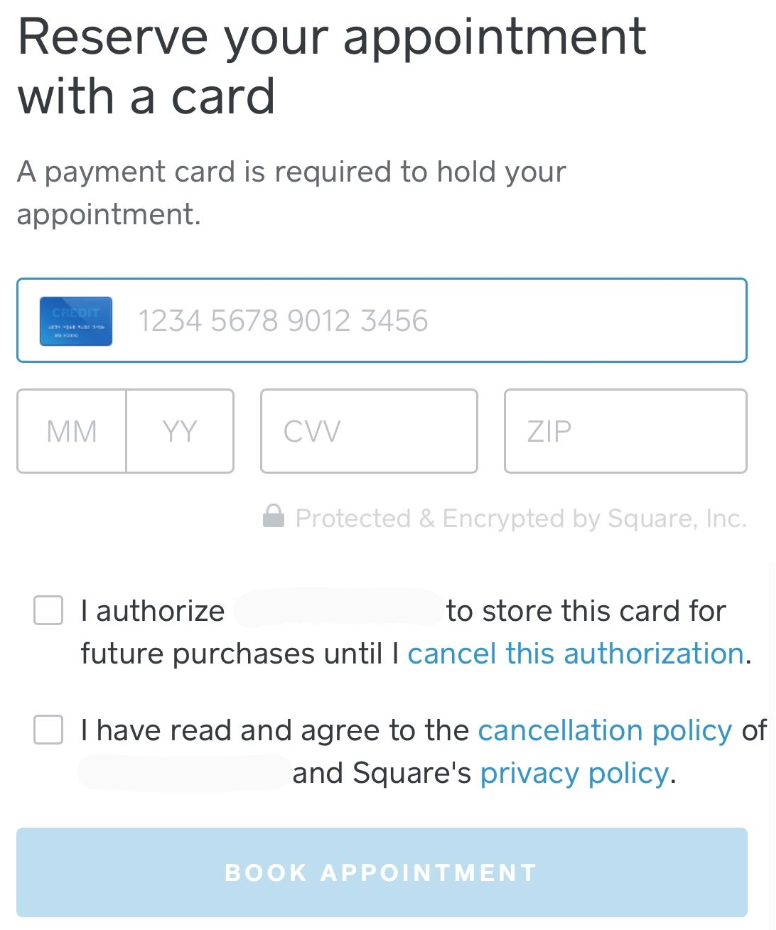
By checking the first box pictured, your customers can choose to put a Card on File as well, but this is completely optional. Although customers are able to unlink their Card on File at any time, the card attached directly to their appointment is not editable or removable by them.
If your customer chooses to link their card to the appointment but does not opt to save it as a Card on File, the card will not appear on your customer's profile in your Customer Directory. In your Dashboard, there will be a short sentence on the booking page within the Appointment Details section:
Booked by *CUSTOMER NAME* on *DATE* at *TIME* with card ending in ____
In-app, you won’t see the sentence that is visible in your Dashboard that confirms the card was linked to the appointment. I believe this clarification should help bring some light to what you're seeing happen here, but please let us know if you believe there's an issue here, @Chiot!
Community Moderator, Square
Sign in and click Mark as Best Answer if my reply answers your question.
- Subscribe to RSS Feed
- Mark Thread as New
- Mark Thread as Read
- Float this Thread for Current User
- Printer Friendly Page
Thank you for the explanation. I have set up No Show Protection for all of my services, especially since I have a cancellation policy.
My issue is, that no credit card information was attached to the appointment or customer. This new customer was able to book an appointment and bypass the No Show Protection, in both the appointment and her on file option.
This is a case where the No Show Protection did not work, which is especially important for a new customer.
- Mark as New
- Subscribe to RSS Feed
- Permalink
- Report

Square Community