
- Home
- >
- Community Archive
- >
- Public Archive
- >
- Archived Discussions (Read Only)
- >
- Re: Sell as a Preorder

- Subscribe to RSS Feed
- Mark Thread as New
- Mark Thread as Read
- Float this Thread for Current User
- Printer Friendly Page
Sell as a Preorder
I noticed that this is now a feature that you can access with an Upgrade on Square. I can't find much information on how this will work. We currently use Tock to help us manage holiday preorders as it allows us to schedules specific dates and times for pick up. I can't tell from the Square site how the preorder feature will work. We'd like to test it out but need more details.
- Mark as New
- Subscribe to RSS Feed
- Permalink
- Report



- Subscribe to RSS Feed
- Mark Thread as New
- Mark Thread as Read
- Float this Thread for Current User
- Printer Friendly Page
Hello there @ZDeli Square Pre Orders are currently in the beta stage so there isn't a ton of documentation on it however I invite you to join the beta group. There you will find all the details of how this feature works.
Thank you for your understanding.
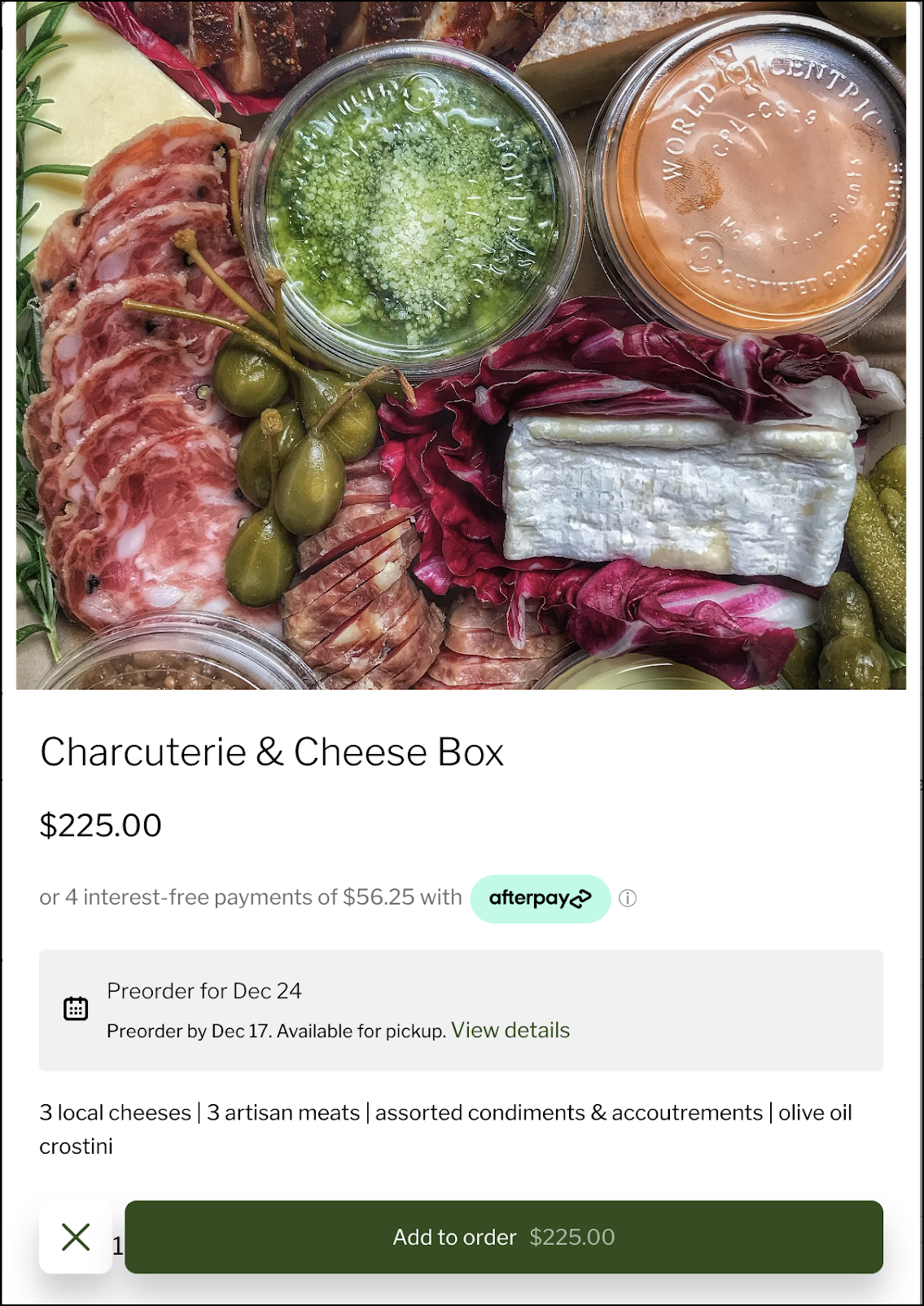
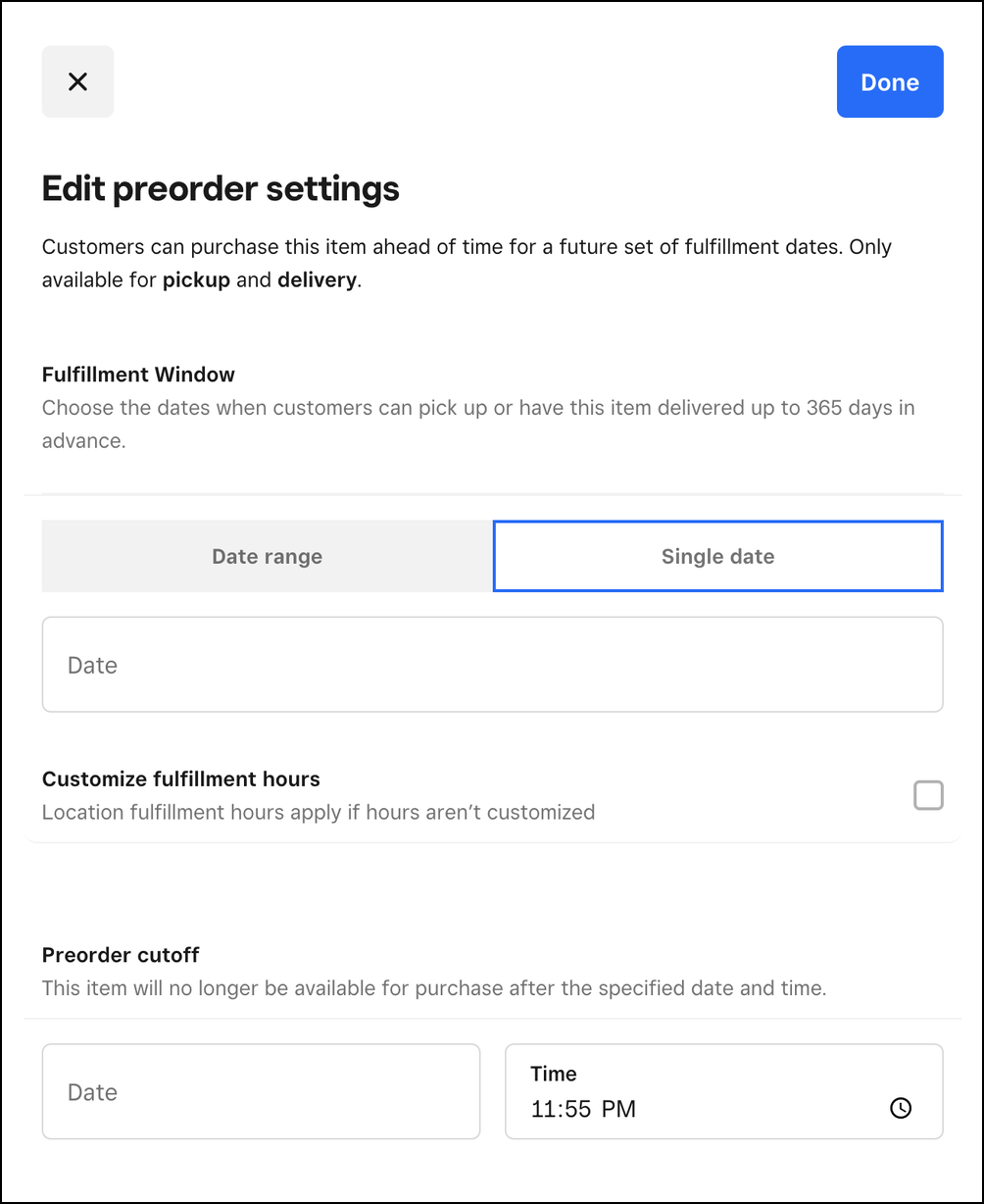
Here are some Screenshots of how it looks:
Community Moderator, Square
Sign in and click Mark as Best Answer if my reply answers your question.
- Mark as New
- Subscribe to RSS Feed
- Permalink
- Report

- Subscribe to RSS Feed
- Mark Thread as New
- Mark Thread as Read
- Float this Thread for Current User
- Printer Friendly Page
I just saw this feature today at the bottom of a new item I was creating. Preorders is something I have patiently waiting for and when I saw this I was excited. However, after moving through the questions for preorders it fell short of what I am looking for. It will allow me to select a date range for pick ups which was great. However, in order to keep my sanity and get through holiday orders I would need the pick up to be more specific and that it requires the customer to select a date in that range. I then went to my online store and put one of the preorder items in my cart. This is where I noticed I could pick up the item anytime in the date range which does not help as mentioned above. That's as far as I got. I couldn't tell if the option was still there to pick up early as it has that reaction in check out on other items that I have used modifiers for as options for pick up dates.
I'm looking forward to this being a viable option for businesses like me to be able to have some sanity during our busiest holiday slams.

- Subscribe to RSS Feed
- Mark Thread as New
- Mark Thread as Read
- Float this Thread for Current User
- Printer Friendly Page
After about 3 hours of playing with different options, I finally figured out how to have preorders AND have them select what date and time. I answer below.
- Mark as New
- Subscribe to RSS Feed
- Permalink
- Report
- Subscribe to RSS Feed
- Mark Thread as New
- Mark Thread as Read
- Float this Thread for Current User
- Printer Friendly Page
I joined the Beta Community but don't see a way of sharing feedback on this. We just set up an item for Pre-order on 3/5 from 1-4pm pick up. The time for pick up defaults to 1pm and doesn't let us change a time. When we try to change the time we get this message.

I also agree with the comment above that for our sanity and to pace orders we need customers to select a time on pick up day. I would also say if there is a way to limit how many orders can be picked up during a specific time slot this would be ideal as during some holidays we get over 200 orders a day and we can't fill them all at the same time. I do think that a work around is to set up multiples of the same item with diffeernt pick up times and set an inventory but this seems like more work than is necessary.
- Subscribe to RSS Feed
- Mark Thread as New
- Mark Thread as Read
- Float this Thread for Current User
- Printer Friendly Page
It took a few hours but I figured out how to use the new preorder option and allow customers to select a pick-up date and time.
First, in the item, you want to turn preorder on. You'll have to do this for each item you want to be available for preorder

When editting the preorder settings leave the customized fulfillment hours unchecked. This will allow the preorder pickups to default to your location fulfullment hours.

Then go to Fulfillment > Pickup & Delivery and make sure to fill in the days and times you plan to fulfill orders. That will allow customer to select a day and time within your pick up hours!

When they go to check out it can still be confusing. Instruct them in the pick up instructions box on the same pick up & delivery page to click edit in the cart.

There they can select a day and time of pick up within the days and times you selected!

I hope that helps
- Mark as New
- Subscribe to RSS Feed
- Permalink
- Report
- Subscribe to RSS Feed
- Mark Thread as New
- Mark Thread as Read
- Float this Thread for Current User
- Printer Friendly Page
Thanks for this information. I followed your instructions and the items are set up this way but we still don't see options for changing the time at checkout. I then had a thought that I had to change how far in advance an order can be placed. I changed that from 30 days to 45 days and Now I see the time option. Thank you!
- Mark as New
- Subscribe to RSS Feed
- Permalink
- Report

Square Community