
Turn on suggestions
Auto-suggest helps you quickly narrow down your search results by suggesting possible matches as you type.
Showing results for
- Home
- >
- Community Archive
- >
- Public Archive
- >
- Archived Discussions (Read Only)
- >
- How do I reorganize the list of my services in my ...

BHA
10-12-2022
06:54 AM
Thread Options
- Subscribe to RSS Feed
- Mark Thread as New
- Mark Thread as Read
- Float this Thread for Current User
- Printer Friendly Page
How do I reorganize the list of my services in my service library?
I'd like to reorganize the way my services list on my website. For example, I'd like my facial services to group first, then brow and lash services, etc, etc.
Reply
- Mark as New
- Subscribe to RSS Feed
- Permalink
- Report
1 REPLY 1


Arie

10-13-2022
04:47 PM
Thread Options
- Subscribe to RSS Feed
- Mark Thread as New
- Mark Thread as Read
- Float this Thread for Current User
- Printer Friendly Page
Welcome to the Seller Community, @BHA 👋
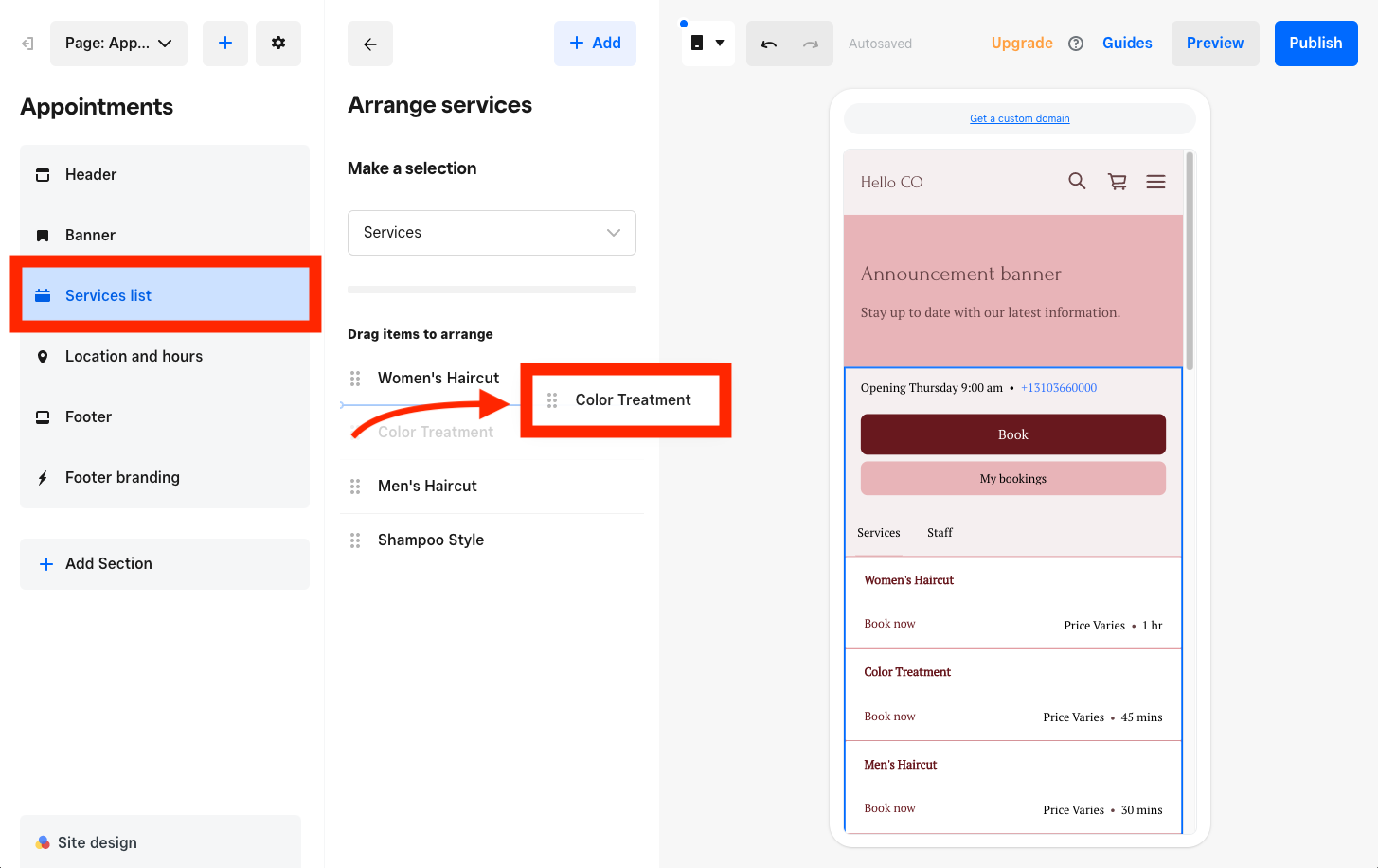
You can arrange the order in which your services are displayed via your Square Online site editor:
1. Select the Page drop-down menu to open your Appointments page.
2. From the editing panel on the right hand side, click on your Services list.
3. Drag and drop the services to rearrange them.
4. Publish your site to save your changes.
I hope this helps, let me know how you go!
Reply
- Mark as New
- Subscribe to RSS Feed
- Permalink
- Report

Square Community
© 2025 Square, Inc.