
- Home
- >
- Community Archive
- >
- Public Archive
- >
- Archived Discussions (Read Only)
- >
- how do you block staff from seeing reports on dash...

- Subscribe to RSS Feed
- Mark Thread as New
- Mark Thread as Read
- Float this Thread for Current User
- Printer Friendly Page
how do you block staff from seeing reports on dashboard
how do i stop reports from showing up on dashboard for employees to see
- Mark as New
- Subscribe to RSS Feed
- Permalink
- Report



- Subscribe to RSS Feed
- Mark Thread as New
- Mark Thread as Read
- Float this Thread for Current User
- Printer Friendly Page
Hey, Jasmine! Welcome to the community. This can be done by editing the permissions of your team members in the Square Dashboard by keeping the permission "view sales reports and transactions" unchecked.
Any permission that has a check is something that the employees can do. If you leave all permissions unchecked, then your employees will only be able to sign in and view their email address and password.
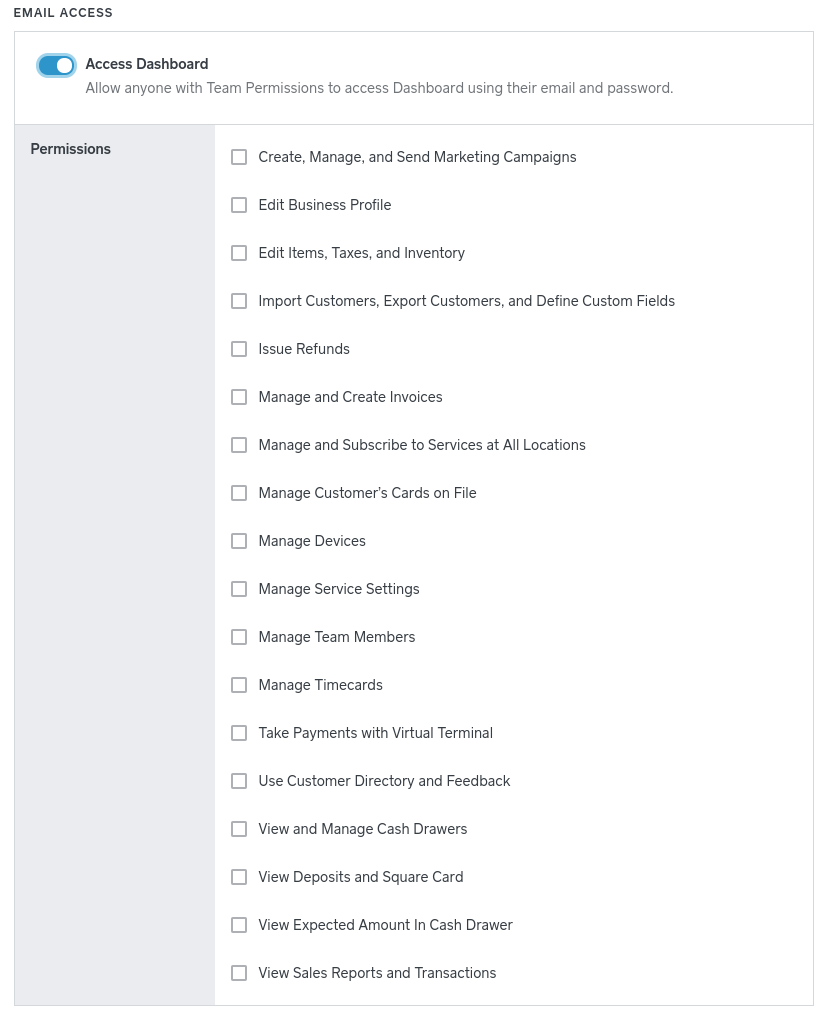
This will allow your employees to sign into their dashboard account, but they will not see the Reports tab at all. Now, if you have them viewing reports for any reason (say, to view their own tips), then it's an all or nothing permission - they can either see all reports or none at all.
Let me know if you have any other questions. 🙂
Community Moderator, Square
Sign in and click Mark as Best Answer if my reply answers your question.
- Mark as New
- Subscribe to RSS Feed
- Permalink
- Report

Square Community