
- Home
- >
- Community Archive
- >
- Public Archive
- >
- Archived Discussions (Read Only)
- >
- Invoice item detail not showing

- Subscribe to RSS Feed
- Mark Thread as New
- Mark Thread as Read
- Float this Thread for Current User
- Printer Friendly Page
Invoice item detail not showing
We use Square Retail and thus advanced Inventory Management. We also use invoicing extensively and track our inventory on all invoiced sales.
When I create a separate item in inventory (versus using a variation), my customer sees the item description on their invoice (which is part of our service offering, the detailed description and background information of the goods).
As soon as I create a Variation of the Item, the description vanishes, and is replaced by the Variation Name and not the initial description plus the Variation Name. How can this be corrected? It is impossible and a waste of valuable time to add the full description to every item variation, as it would need to be part of the name, which makes zero sense as it is very detailed and consists of multiple lines of text. This needs to be corrected if it is not currently available. And if currently available and just not working in my system, how can I get this corrected.
- Mark as New
- Subscribe to RSS Feed
- Permalink
- Report



- Subscribe to RSS Feed
- Mark Thread as New
- Mark Thread as Read
- Float this Thread for Current User
- Printer Friendly Page
Hey, @TRC2020 - I want to make sure I’m understanding what you need. You want the name of the Item to show on the Invoice plus the variation type, correct? For example; "Aegirine - Malawi" in one line item and the variation type "Medium" on another line item. However, you are only seeing the Variation Name on the invoice once it’s fully created and sent?
We will be on the lookout for your reply.
Community Moderator, Square // Moderadora de la Comunidad, Square
Sign in and click Mark as Best Answer if my reply answers your question.
Inicie seción y haga clic en Marcar como "Mejor Respuesta" si mi respuesta contesta su pregunta.
- Mark as New
- Subscribe to RSS Feed
- Permalink
- Report
- Subscribe to RSS Feed
- Mark Thread as New
- Mark Thread as Read
- Float this Thread for Current User
- Printer Friendly Page
Sayra: This is correct. The Description we use is for all the variations below the main item type. In this case, our buyers need location and some descriptive information for their records. We have just recently begun using the inventory management, and the variations. Unfortunately, when I add a variation, the item description is eliminated on my invoice only showing the variation name instead. Both things should show. I'm finding problems like this throughout your various systems, where options are available for use, but then when it comes down to actually using them, in many instances they are useless.
- Mark as New
- Subscribe to RSS Feed
- Permalink
- Report
- Subscribe to RSS Feed
- Mark Thread as New
- Mark Thread as Read
- Float this Thread for Current User
- Printer Friendly Page
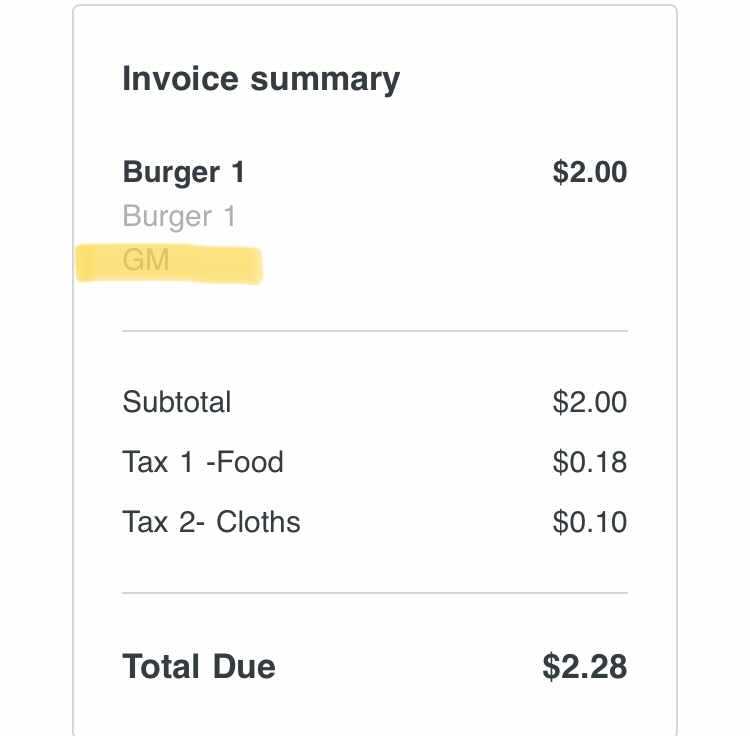
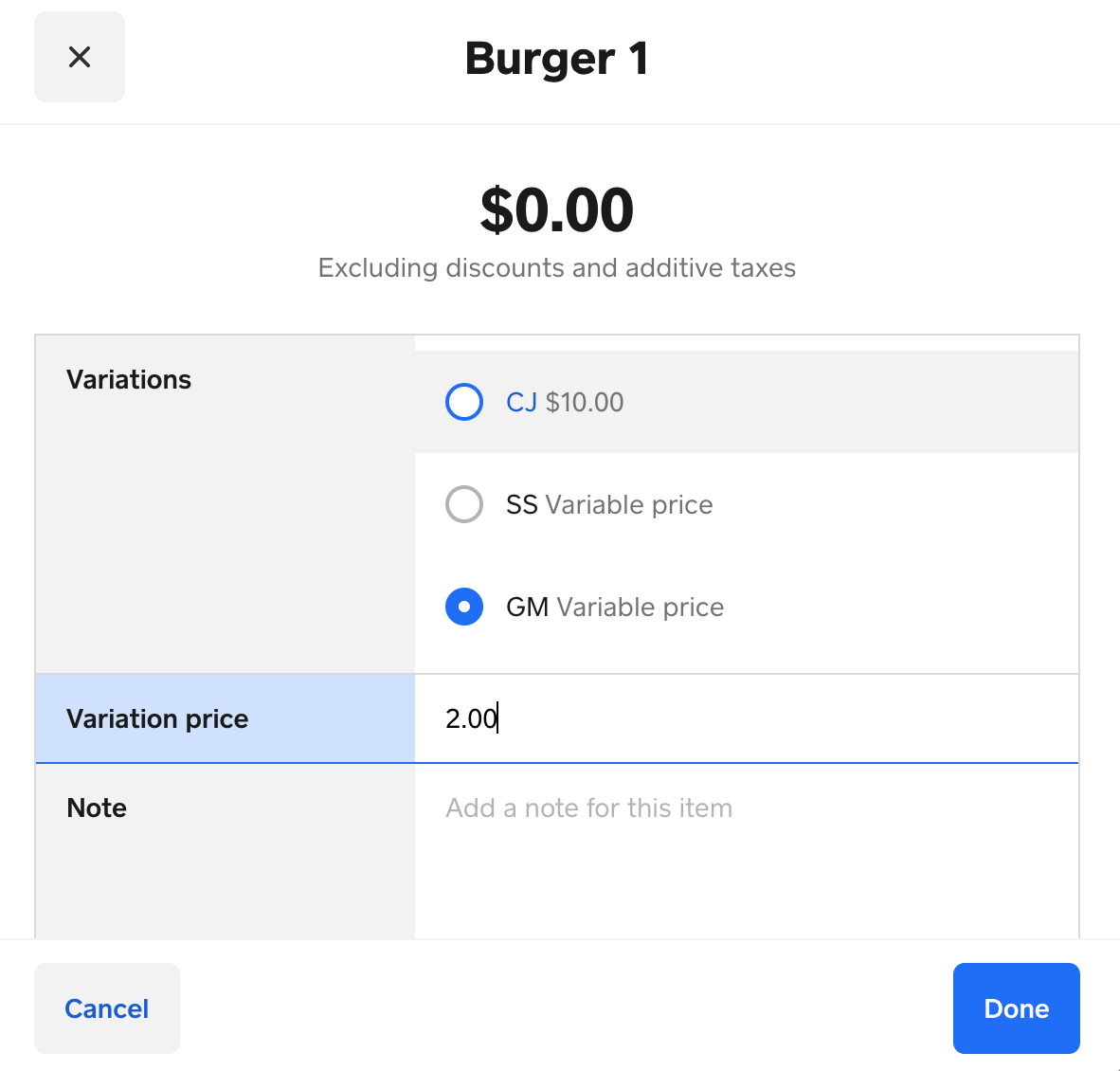
Thanks for clarifying @TRC2020.I created an item called "Burger 1" with 3 variations (CJ, SS, GM) as a test. I sent the invoice to myself to replicate the issue you are having. However, on my invoice, both the item and variation showed up (see picture below). When it comes to adding "location and some descriptive information for their records" as mentioned by you, does the Message section under Invoice Details not work for this? If we’re not seeing the same thing please let me know. There may be an account-specific issue that needs to be troubleshot with our Square Phone Support Team.
Thank you.
Community Moderator, Square // Moderadora de la Comunidad, Square
Sign in and click Mark as Best Answer if my reply answers your question.
Inicie seción y haga clic en Marcar como "Mejor Respuesta" si mi respuesta contesta su pregunta.
- Mark as New
- Subscribe to RSS Feed
- Permalink
- Report
- Subscribe to RSS Feed
- Mark Thread as New
- Mark Thread as Read
- Float this Thread for Current User
- Printer Friendly Page
One could use the message section, but that involves copying the information from the description of each item into the message for each invoice and when we invoice multiple items, there would be no way to determine which description goes with each item unless we basically re-type the entire invoice in the message which is absurd. That is NOT a viable solution. We send hundreds of invoices, and the additional cost in time of doing something like this is significant, so entirely out of the question. We have already loaded the description into the system. I should not have to type it in again every single time someone orders this particular item.
There has never been an issue with the item and variation showing. As I stated in my initial complaint, it's the description that is missing. The description shows when I do not have a variation, and the description prints on the invoice. The description vanishes when I add a variation to my item. This makes no sense.
- Mark as New
- Subscribe to RSS Feed
- Permalink
- Report
- Subscribe to RSS Feed
- Mark Thread as New
- Mark Thread as Read
- Float this Thread for Current User
- Printer Friendly Page
Thanks for providing additional information @TRC2020. Through this platform, it can be challenging to troubleshoot your invoice settings. Please give us a call to troubleshoot your account in detail with our Customer Success team. If this is an account-specific issue they will open a ticket for us to dig into the back end of your account.
Thank you.
Community Moderator, Square // Moderadora de la Comunidad, Square
Sign in and click Mark as Best Answer if my reply answers your question.
Inicie seción y haga clic en Marcar como "Mejor Respuesta" si mi respuesta contesta su pregunta.
- Mark as New
- Subscribe to RSS Feed
- Permalink
- Report

Square Community