
Turn on suggestions
Auto-suggest helps you quickly narrow down your search results by suggesting possible matches as you type.
Showing results for
- Home
- >
- Community Archive
- >
- Public Archive
- >
- Archived Discussions (Read Only)
- >
- Re: How to cancel a clients subscription order on ...

Cevans
03-09-2021
09:46 AM
Thread Options
- Subscribe to RSS Feed
- Mark Thread as New
- Mark Thread as Read
- Float this Thread for Current User
- Printer Friendly Page
How to cancel a clients subscription order on my weebly website
How to cancel a clients subscription order on my weebly website?
Reply
- Mark as New
- Subscribe to RSS Feed
- Permalink
- Report
1 REPLY 1


Valentina

03-10-2021
06:11 PM
Thread Options
- Subscribe to RSS Feed
- Mark Thread as New
- Mark Thread as Read
- Float this Thread for Current User
- Printer Friendly Page
Firstly, welcome to the Seller Community! 💫
If you are referring to subscriptions paid for using Square Online Checkout links, you can cancel their subscription for them by heading to this page of your Square Dashboard (Dashboard > Online Checkout > Subscriptions). Once here, select the subscription needing to be cancelled, and click Cancel subscription:
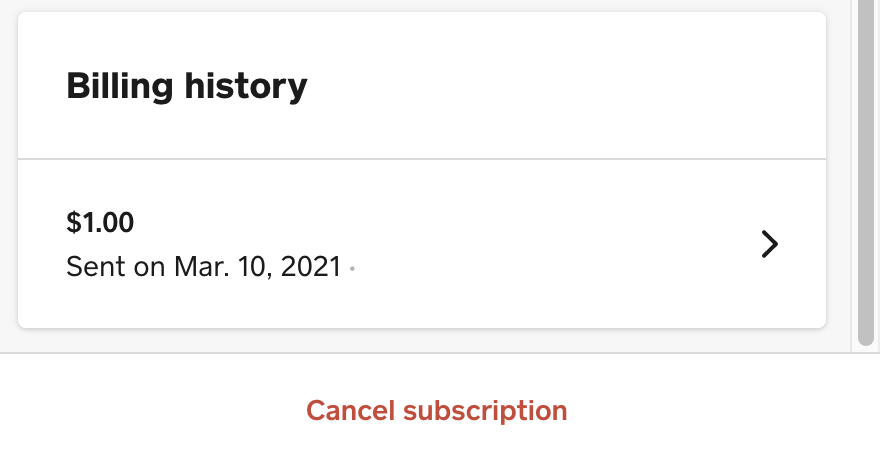
Customers can also cancel their subscriptions themselves from any of the automated emailed invoices they will receive after a scheduled payment. They will receive a confirmation email once the subscription is cancelled, @Cevans.
I hope this helps, but let me know if you have questions about this!
Valentina
Community Moderator, Square
Sign in and click Mark as Best Answer if my reply answers your question.
Community Moderator, Square
Sign in and click Mark as Best Answer if my reply answers your question.
Reply
- Mark as New
- Subscribe to RSS Feed
- Permalink
- Report

Square Community
© 2025 Square, Inc.