Square
🔄 Transactions Report enhancements

Hi sellers! 👋


We're happy to highlight a number of improvements we recently made to the Transactions report, which is one of the most widely used reports we offer! We know it's really important for y'all to easily understand how much fees you’re paying, what your take-home amount will be for any given transaction, as well as how to reconcile your sales if you've received free processing from a referral or survey you were part of. With this in mind, we've introduced some new fields that should make these things a breeze for y'all! 


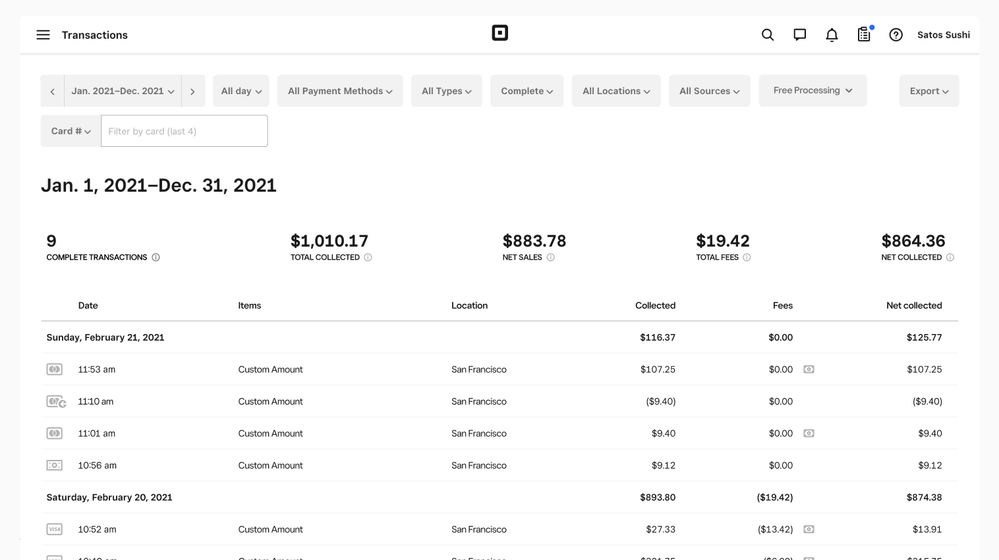
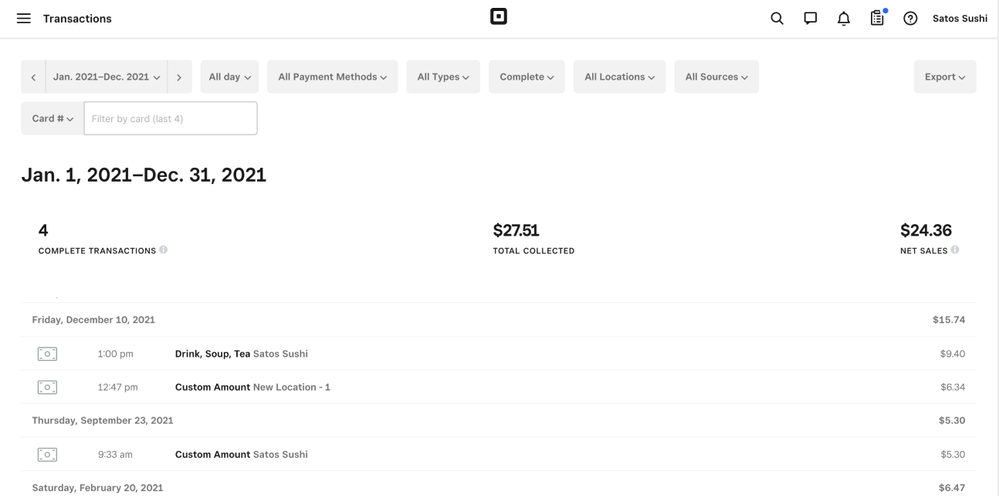
I'll start with a quick before & after, and then go into the details about the enhancements:


 Before:
Screenshot 2023-02-17 at 3.46.29 PM.png


After: 

Screenshot 2023-02-17 at 3.46.14 PM.png


Here's a comprehensive list of changes [so you don't have to try and find Waldo 😀]: 


  • “Total Fees” added to the report header so you can easily get a snapshot that matches your filters.  
  • “Net Collected” added to the report header so you can easily see how much your take home is minus our fees (does not include cash/other tender transactions). 
  • New “Fees” and “Net collected” columns in the report table so you can see these same details at the transaction level easily. 
  • We updated the language in the tooltips to more easily understand our reporting terminology. Please let me know if something doesn't make sense!   
  • New icons and tooltip details to indicate when and how much free processing was applied to a transactions (see the bill icon in the screenshot). 
  • New "Free Processing" drop down filter so you can see only transactions that had free processing applied to them. 
  • We also added a column for free processing applied in the “Transactions CSV” if you export things regularly


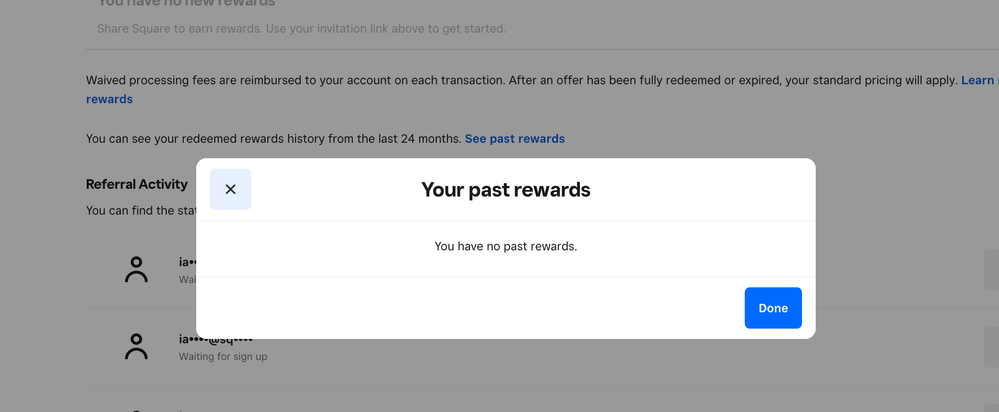
We also made a small tweak to the Get Free Processing page in Dashboard so you can quickly see past rewards from the last two years. 
 

Screenshot 2023-02-17 at 3.53.59 PM.png


We hope these changes make your lives a little easier! Please share any thoughts or other improvements you'd like to see!


Also, if you want to test out our changes specifically related to free processing, you can always refer someone to Square and if they sign up and take a payment -- you both get $1000 in free processing! 🙌 

13 Replies
Square Champion

@Sean I’m assuming Fees includes Loan Payments? If so, I’ve been waiting for this for so long! A CSV and a manual calculation removed from my daily downloads. This is a great step.


chip

Square

Unfortunately these updates don’t reflect if a portion needs to be removed for a loan (or other reason). We’ve primarily guided folks to the Transfers report for that because those charges don’t come out until the transfer happens (which would be hard to visualize in a report that’s not grouped by transfer amounts). I hope that makes sense. Having said that, I’d love to understand your workflow more. We can certainly chat more about if/how we’d want to reflect that or how we might be able to improve another report. @aiqi and her team work on that experience, so we’re all ears! 

Square Champion

I’m heading to bed now. I overworked this week getting ready for season open! I forgot I’m 61 and can’t work like I did when I was 41! Muscles hurt that I never knew existed! Lol. But I’ll reply tomorrow with that. 

Chip. 

That's an improvement for sure!

Square Champion

This is an excellent update.  I'm about to go through the reporting, break down each service versus the fees (plus commission taken), and make sure we are indeed charging enough and remaining profitable.  This makes the process a lot easier...thank you 🙂

Square Champion

Hey @Sean.  Sorry for the big delay in getting back to you.  I’m deep into getting the shop ready for my pre-season opening inspection.  So, to answer your question….


Currently, I download three CSVs on a daily basis — Transactions, Items and Labor Cost Summary.  I use transactions there to build booking entries for me to manually enter into my accounting software.  (I don’t use Quickbooks because I hate Quickbooks.  I use real, honest-to-god accounting software that doesn’t hide things from me! LOL).


Anyway, regarding the topic I brought up — loan repayments — instead of downloading yet ANOTHER CSV, I’ve opted to just calculate my loan repayment on a per-transaction basis and then book that.  Yes, I know that I’m going to be a few pennies off one way or another because of rounding errors.  Once a month or so I look at my loan balance and make a manual adjustment on my books, which works just fine.


I guess what I don’t understand is why Square doesn’t treat loan repayments the same way you treat transaction fees and calculate them with every transaction.  That has the advantage of showing us FOR EVERY TRANSACTION exactly how much we made on that transaction.  My way has the advantage of consistency, transparency, etc.  It seems to me that anything that impacts how much I make at a transaction level should show up on a transaction level.  But, for now, I’ll just keep doing what I do.  It works!


Thanks for asking,

Chip

Hi Sean,


Thanks for the update, however it looks like this has had an effect on the data once downloaded to excel.


Is this an error you are aware of?


Many Thanks!


Square

Thanks for replying with the feedback! Would you mind sharing more details about exactly what’s happening with the export? Which export are you using? Thanks! 

We are trying to use the 'Transactions CSV' report into Microsoft excel but it seems to result in a very difficult to understand report compared to what it was previously.


Example below copied directly from Excel:


Date Time Time Zone Gross Sales Discounts Service Charges Net Sales Gift Card Sales Tax Tip Partial Refunds Total Collected Source Card Card Entry Methods Cash Square Gift Card Other Tender Other Tender Type Other Tender Note Fees Net Total Transaction ID Payment ID Card Brand PAN Suffix Device Name Staff Name Staff ID Details Description Invoice Number Event Type Location Dining Option Customer ID Customer Name Customer Reference ID Initial Fees Adjustment Fees Device Nickname Fee Plan Number of Adjustments Adjustment Date(s) Third Party Fees Deposit ID Deposit Date Deposit Details Fee Percentage Rate Fee Fixed Rate Refund Reason Discount Name Transaction Status Order Reference ID Fulfillment Note Free Processing Applied
2023-02-27 15:01:05 London £1000.00 £0.00 £0.00 £1000.00 £0.00 £0.00 £0.00 £0.00 £1000.00 Point of Sale £1
2023-02-27 14:54:27 London £9433.20 £0.00 £0.00 £9433.20 £0.00 £0.00 £0.00 £0.00 £9433.20 Point of Sale £9
Square

Thanks for sharing more details. I’m still having a hard time trying to unpack the issue. When you open the .CSV, is the issue that the column names are showing in the row instead (above the transaction entries)? Or is it something else? Thanks! 

Thanks for coming back to me - yes the issue is that the data seems to be packed into the columns and rows instead of the usual ordered report that had been displayed before the update. Previously each entry had been separated by column and row.


This makes it currently very difficult to analyze the data in any meaningful way. 

So what do we need to do to get our report to look like this? Also when invoicing a customer and we request a "deposit" and customer pays it on 2/28 leaving a balance or 2nd payment due, the payment doesn't show up on the transaction report until it is paid in full. When I do my month end and sales tax I have to manually go through each invoice to accurately report payments. Is there a way to report all payments made in that month even though the invoice is not "paid in full"?

Square

Sorry for the delay in following up here. Unfortunately, we ran into a few unanticipated bugs, so we had to roll back the changes while we address them. I can let you know once we're able to release this update again. As for request related to showing deposits in reporting, I'll have to defer to our Invoices Product Team (👋@judyph or @kmachnik) -- is this is something on your radar?  @annakepler @chada you might have some thoughts on the topic too! 

Similar Threads
🆕 Reconciliation Report CSV export now available
🆕 Sales trends reporting on Square for Franchises
🆕 Royalty and fee calculation and reporting on Square for Franchises
🔄 Introducing time off reports