

Admin
[New] Managing Employee Access to Square Subscriptions [Square Team Management]

Hi Seller Community!


If your employees are set up through Square Team Management, you can now enable (or disable) their ability to view, edit, create and deactivate customer plans and subscriptions. 


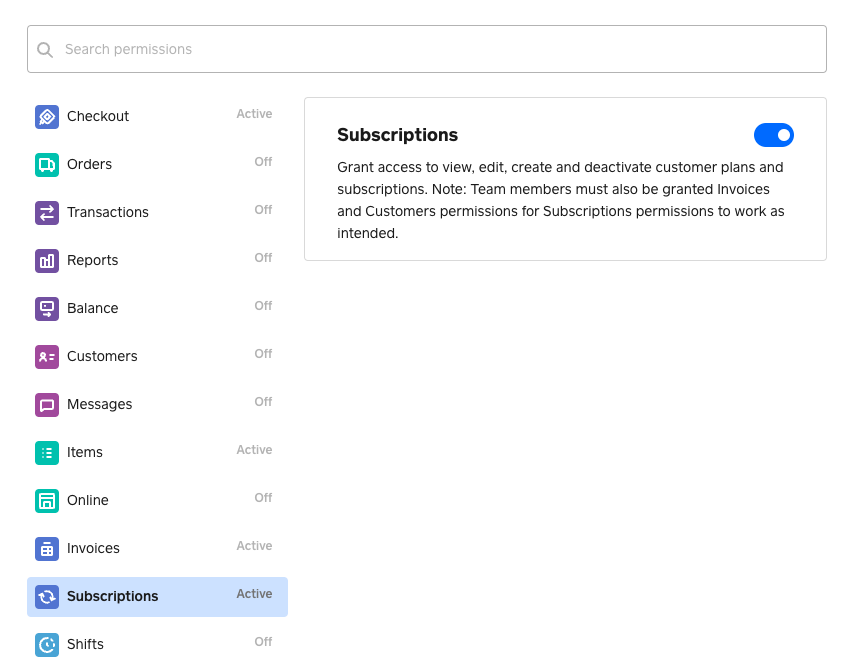
To do this, go under Team Permission and select Subscriptions. From there, you will see a toggle that enables or disables your employees from Square Subscriptions functionality.


To enable, make sure the Subscriptions toggle is selected. Click Continue to activate your changes.


en-ca.png


Let us know if you have any questions below!

Similar Threads
[UPDATE 22 May 2023] Inclusive Taxes are now supported with Square Subscriptions
[New] Square Subscriptions now Available on the Square Appointments Point of Sale Mobile App
[New] Square Subscriptions now Available on Square for Restaurants
[New] Square Subscriptions now Available on Square Point of Sale