

Alumni

🆕 Mobile location switching

Hi Square Community! 🙌


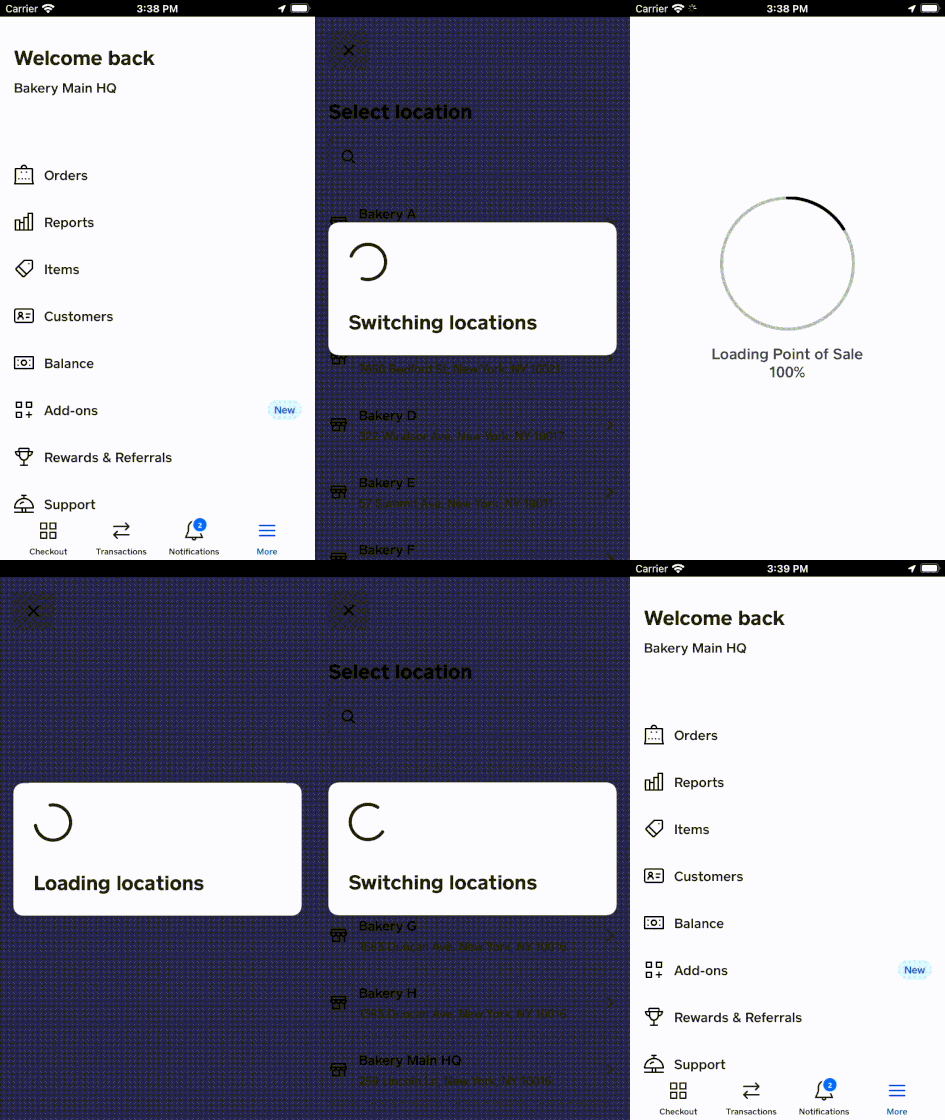
We know that sellers with multiple merchants or multi-location merchants have a hard time switching between their various properties on both web and mobile. To help make things easier, we’ve launched mobile location switching!


To switch between locations from the Square Point of Sale app:


  1. From the navigation bar at the bottom of your screen, tap More.
  2. Select Switch location.
  3. Choose the location you would like to view. 


You can also switch between locations from the Square Appointments app. Read more about how to Manage multiple locations with Square on our Support Center.


Ryan_M_2-1647904171456.gif


20 Replies
Similar Threads
What's New From Square: October Features Coming Soon (Volume 15)
🆕 Meet the new Square Kiosk (US) + a new name for our iPad kiosk
What's New From Square: October Features Coming Soon (Volume 14)
What's New From Square: October Features Coming Soon (Volume 13)