

- Subscribe to RSS Feed
- Mark Thread as New
- Mark Thread as Read
- Float this Thread for Current User
- Bookmark
- Subscribe
- Printer Friendly Page
How do I edit the hours on my sqaure booking page?
When I first edited my square booking page I left it two days as closed. Now I want to open them up so people can book but I cannot find where to change that.
- Mark as New
- Bookmark
- Subscribe
- Subscribe to RSS Feed
- Permalink
- Report



- Subscribe to RSS Feed
- Mark Thread as New
- Mark Thread as Read
- Float this Thread for Current User
- Bookmark
- Subscribe
- Printer Friendly Page
Hi @beautybyzara 👋
Thanks for writing into the Seller Community with this question! I'd be happy to point you in the right direction. You can make edits to your availability via your Square Appointments calendar. Click on the clock icon in the top right-hand corner to bring up your availability:
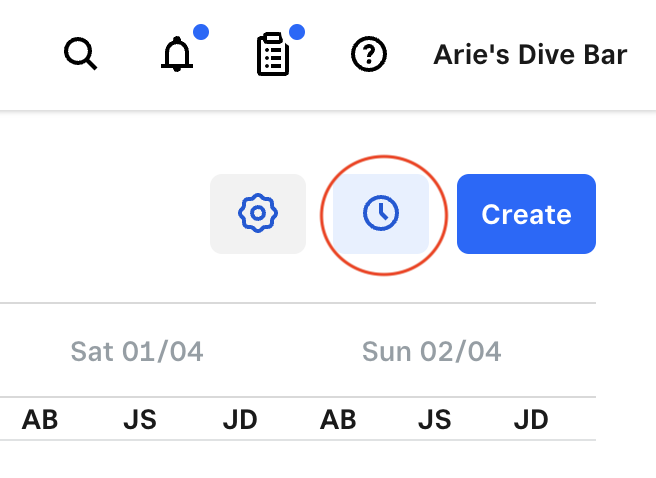
Next, you'll be able to adjust your schedule either on a recurring, or once off basis:

You can also adjust your overall business hours via the Locations tab under Account & Settings here. From here, click on your location to make changes to your opening hours.
I hope this helps, please let me know how you go 🙂
- Mark as New
- Bookmark
- Subscribe
- Subscribe to RSS Feed
- Permalink
- Report
- Subscribe to RSS Feed
- Mark Thread as New
- Mark Thread as Read
- Float this Thread for Current User
- Bookmark
- Subscribe
- Printer Friendly Page
i have already tried that however when you opening my booking page as a customer you cannot see that.

this is where i have changed it to my opening times.

this is what a customer sees when they open the booking page although i have already changed the times
- Mark as New
- Bookmark
- Subscribe
- Subscribe to RSS Feed
- Permalink
- Report
- Subscribe to RSS Feed
- Mark Thread as New
- Mark Thread as Read
- Float this Thread for Current User
- Bookmark
- Subscribe
- Printer Friendly Page
It looks like you'll need to edit your overall business hours to reflect on your booking page, @beautybyzara. You can do this via the Locations tab in your Dashboard. Click on your location, then scroll down to Business Hours and add the additional days you'll be working. Here's what this looks like:

- Mark as New
- Bookmark
- Subscribe
- Subscribe to RSS Feed
- Permalink
- Report

Square Community
Square Products