
- Home
- >
- Help
- >
- Online Store
- >
- Square Online SHOP NOW button

- Subscribe to RSS Feed
- Mark Thread as New
- Mark Thread as Read
- Float this Thread for Current User
- Bookmark
- Subscribe
- Printer Friendly Page
Square Online SHOP NOW button
I’ve created my Square Online store with both a home page and a second page of products. However on my home page my SHOP NOW button does not take users to my items. What am I missing? How do I link that button to second page. When I publish online my second page doesn’t even show....
- Mark as New
- Bookmark
- Subscribe
- Subscribe to RSS Feed
- Permalink
- Report



- Subscribe to RSS Feed
- Mark Thread as New
- Mark Thread as Read
- Float this Thread for Current User
- Bookmark
- Subscribe
- Printer Friendly Page
The button for Shop Now should automatically connect to your shop page. What happens when you click on it? Can you try using a different browser in private or incognito mode to make sure it is not a caching error?
If you are still having an issue loading the page please post a link to your site and we can confirm.
- Mark as New
- Bookmark
- Subscribe
- Subscribe to RSS Feed
- Permalink
- Report

- Subscribe to RSS Feed
- Mark Thread as New
- Mark Thread as Read
- Float this Thread for Current User
- Bookmark
- Subscribe
- Printer Friendly Page
I have the same issue. The shop now button is hyperlinked to https://e2e4vinyl.square.site/#iZDRMt and just takes people to the webform at the bottom of the home page.
Help with what I need to do would be much appreciated!
Cheers
Sean
- Mark as New
- Bookmark
- Subscribe
- Subscribe to RSS Feed
- Permalink
- Report
- Subscribe to RSS Feed
- Mark Thread as New
- Mark Thread as Read
- Float this Thread for Current User
- Bookmark
- Subscribe
- Printer Friendly Page
I'm having the same issue. My home button used to say "Shop Now" now it's changes to "lets go" and it doesn't link to anything! When I try to add the link it will only let me link to a specific item, not all the items. Please help!!!
- Mark as New
- Bookmark
- Subscribe
- Subscribe to RSS Feed
- Permalink
- Report
- Subscribe to RSS Feed
- Mark Thread as New
- Mark Thread as Read
- Float this Thread for Current User
- Bookmark
- Subscribe
- Printer Friendly Page
Welcome to the Seller Community, @rumbafarm 👋
Can you please post a link to your website so we can see the button in action?
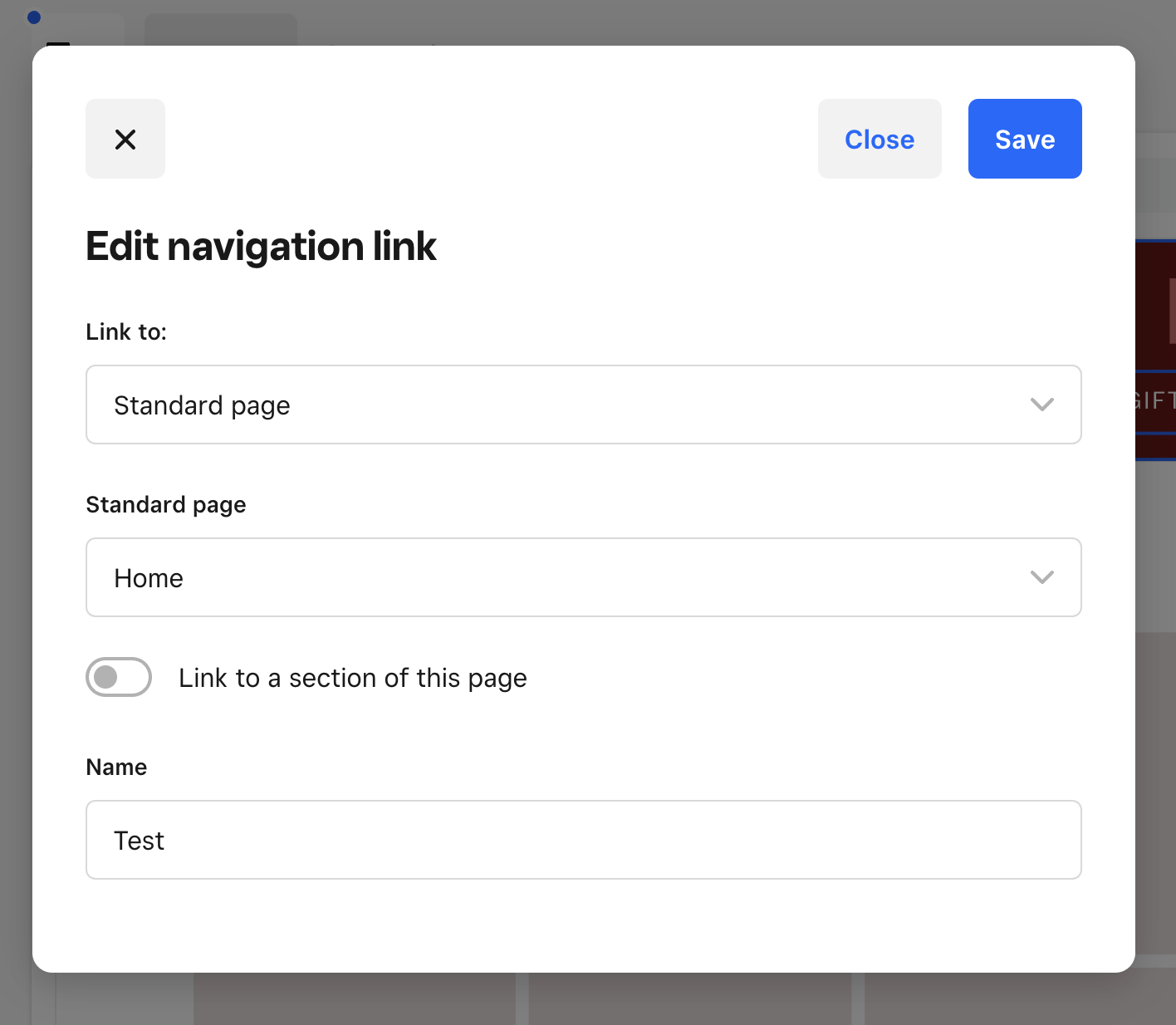
You should be able to edit what the button says by clicking on Header > Navigation > Navigation Links. Click on the page you need to edit, then change the name in the bottom field. You should also see a dropdown at the top that lets you select what type of page to link to. It sounds like the page you are referring to has the dropdown selected to Item Page instead of Standard Page.
I can confirm once I see the site, though. Thanks in advance! 😊
- Mark as New
- Bookmark
- Subscribe
- Subscribe to RSS Feed
- Permalink
- Report

- Subscribe to RSS Feed
- Mark Thread as New
- Mark Thread as Read
- Float this Thread for Current User
- Bookmark
- Subscribe
- Printer Friendly Page
Anything yet? Smh
- Mark as New
- Bookmark
- Subscribe
- Subscribe to RSS Feed
- Permalink
- Report

Square Community
Square Products