
- Home
- >
- Help
- >
- Online Store
- >
- Re: How do I start tagging products on my Instagra...

- Subscribe to RSS Feed
- Mark Thread as New
- Mark Thread as Read
- Float this Thread for Current User
- Bookmark
- Subscribe
- Printer Friendly Page
How do I start tagging products on my Instagram feed to link to my Square Online website?
The title of this post has been edited from the original: I don't see 'instagram' in my online overview page
I am trying to link my square online store to my Instagram so I can start tagging products. All the articles tell me to choose 'Instagram' on the online overview page but I don't see that option. I see Facebook and Messenger but not Instagram. Please help!
- Mark as New
- Bookmark
- Subscribe
- Subscribe to RSS Feed
- Permalink
- Report



- Subscribe to RSS Feed
- Mark Thread as New
- Mark Thread as Read
- Float this Thread for Current User
- Bookmark
- Subscribe
- Printer Friendly Page
Oh no, @esined42! 👀
Firstly, welcome to the Seller Community + sorry to hear that you're here because you've run into trouble.
Before you get started with tagging, you'll need to add an Instagram section to your website by following these directions.
You'll head to your Square Online Dashboard > Website > Edit Site > scroll down to + Add Section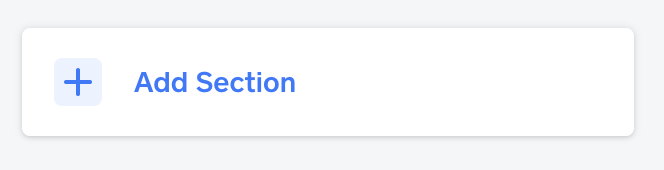
Click here, then locate Instagram feed: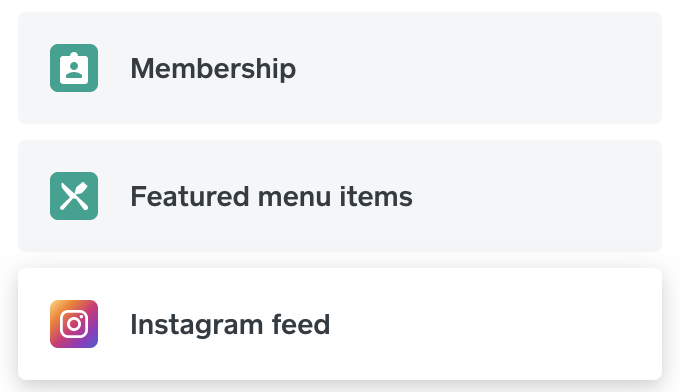
Click this, set your feed up, and then follow these steps to add shopping tags to products on your Instagram page to link to your website. Let me know if questions come up about this! 💫
Community Moderator, Square
Sign in and click Mark as Best Answer if my reply answers your question.
- Mark as New
- Bookmark
- Subscribe
- Subscribe to RSS Feed
- Permalink
- Report
- Subscribe to RSS Feed
- Mark Thread as New
- Mark Thread as Read
- Float this Thread for Current User
- Bookmark
- Subscribe
- Printer Friendly Page
I’m sorry, I don’t understand, why do I need a paid plan to add shopping tags to Instagram if I can add them for free on Facebook? Also, according to the information I found online, I should just be able to add a shopping tag in the Instagram app while I create my post, it would be very labor intensive if I have to login to Square every time I need to add a tag.
- Mark as New
- Bookmark
- Subscribe
- Subscribe to RSS Feed
- Permalink
- Report
- Subscribe to RSS Feed
- Mark Thread as New
- Mark Thread as Read
- Float this Thread for Current User
- Bookmark
- Subscribe
- Printer Friendly Page
Hm, what resource are you referencing @esined42?
Are you able to link it here?
Community Moderator, Square
Sign in and click Mark as Best Answer if my reply answers your question.
- Mark as New
- Bookmark
- Subscribe
- Subscribe to RSS Feed
- Permalink
- Report
- Subscribe to RSS Feed
- Mark Thread as New
- Mark Thread as Read
- Float this Thread for Current User
- Bookmark
- Subscribe
- Printer Friendly Page
This is the process I am trying to follow
https://squareup.com/help/au/en/article/6896-shopping-on-instagram-square-online-store
For me the 'Instagram' link doesn't show on the online overview page. I have successfully connected my Facebook page this way though.
- Mark as New
- Bookmark
- Subscribe
- Subscribe to RSS Feed
- Permalink
- Report
- Subscribe to RSS Feed
- Mark Thread as New
- Mark Thread as Read
- Float this Thread for Current User
- Bookmark
- Subscribe
- Printer Friendly Page
That looks like an Australia link, @esined42 - can you please try following these US steps instead?
Community Moderator, Square
Sign in and click Mark as Best Answer if my reply answers your question.
- Mark as New
- Bookmark
- Subscribe
- Subscribe to RSS Feed
- Permalink
- Report
- Subscribe to RSS Feed
- Mark Thread as New
- Mark Thread as Read
- Float this Thread for Current User
- Bookmark
- Subscribe
- Printer Friendly Page
That's what I did and my shop is successfully connected to my Facebook page. When I post on Facebook I can tag products directly from my store. On Instagram however, I don't have that option, that's why I am trying to connect my Instagram. The US steps you mentioned above don't give any guidance for that.
- Mark as New
- Bookmark
- Subscribe
- Subscribe to RSS Feed
- Permalink
- Report
- Subscribe to RSS Feed
- Mark Thread as New
- Mark Thread as Read
- Float this Thread for Current User
- Bookmark
- Subscribe
- Printer Friendly Page
Do you have an Instagram Business account, @esined42?
Community Moderator, Square
Sign in and click Mark as Best Answer if my reply answers your question.
- Mark as New
- Bookmark
- Subscribe
- Subscribe to RSS Feed
- Permalink
- Report
- Subscribe to RSS Feed
- Mark Thread as New
- Mark Thread as Read
- Float this Thread for Current User
- Bookmark
- Subscribe
- Printer Friendly Page
Yes
- Mark as New
- Bookmark
- Subscribe
- Subscribe to RSS Feed
- Permalink
- Report
- Subscribe to RSS Feed
- Mark Thread as New
- Mark Thread as Read
- Float this Thread for Current User
- Bookmark
- Subscribe
- Printer Friendly Page
Our Support team would be able to look into this with you and better be able to pinpoint what may be happening, @esined42.
When you have a moment, please reach out directly by logging into your Square account and heading here.
Community Moderator, Square
Sign in and click Mark as Best Answer if my reply answers your question.
- Mark as New
- Bookmark
- Subscribe
- Subscribe to RSS Feed
- Permalink
- Report
- Subscribe to RSS Feed
- Mark Thread as New
- Mark Thread as Read
- Float this Thread for Current User
- Bookmark
- Subscribe
- Printer Friendly Page
Will do, thank you!
- Mark as New
- Bookmark
- Subscribe
- Subscribe to RSS Feed
- Permalink
- Report

Square Community
Square Products