

- Subscribe to RSS Feed
- Mark Thread as New
- Mark Thread as Read
- Float this Thread for Current User
- Bookmark
- Subscribe
- Printer Friendly Page
Shipping from Canada to US
Hi, I'm trying to figure out shipping setup. BTW I'm on the free plan in Canada, so I don't have access to real time rates. Nonetheless here is my scenario:
I want to set up shipping rate for product "A", lets say $10 for all Canadian provinces but for US, which is International, I want to charge $20.
Is it doable on free plan, if so, how do set it up?
- Mark as New
- Bookmark
- Subscribe
- Subscribe to RSS Feed
- Permalink
- Report



- Subscribe to RSS Feed
- Mark Thread as New
- Mark Thread as Read
- Float this Thread for Current User
- Bookmark
- Subscribe
- Printer Friendly Page
Hi there @Polona,
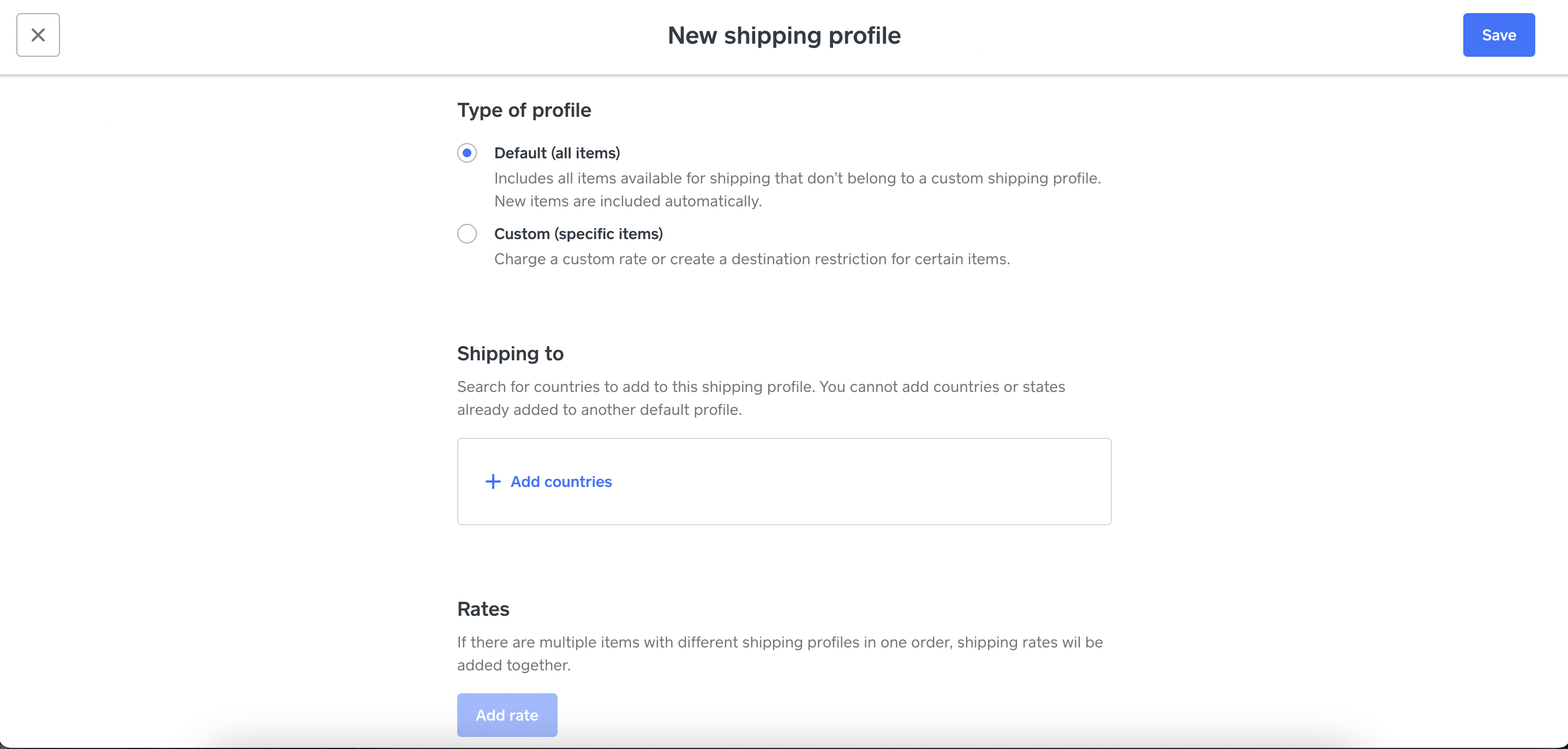
That is a great question, and it is possible on a free plan! In order to do that, you would go to your Shipping page and add a shipping profile. It will ask you where you want to ship to, and you can set flat rate fees with each country that way! Here is how that will look :
Community Moderator, Square
Sign in and click Mark as Best Answer if my reply answers your question.
- Mark as New
- Bookmark
- Subscribe
- Subscribe to RSS Feed
- Permalink
- Report
- Subscribe to RSS Feed
- Mark Thread as New
- Mark Thread as Read
- Float this Thread for Current User
- Bookmark
- Subscribe
- Printer Friendly Page
Hi Ellie,
Thank you for the reply, but either there is a glitch in the system or I'm doing something wrong. When I create custom shipping profile and add desired products to it it gives me a warning: "Adding an item to this shipping profile will remove it from all other profiles." Why is it a problem? Because I created 2 custom profiles: 1 with shipping to USA and 2nd with shipping to Canada. But product appears only in 1 of the custom profiles. Hence it shows only the rate from the active custom profile. Do you know what I mean?
Can you help, please?

- Mark as New
- Bookmark
- Subscribe
- Subscribe to RSS Feed
- Permalink
- Report
- Subscribe to RSS Feed
- Mark Thread as New
- Mark Thread as Read
- Float this Thread for Current User
- Bookmark
- Subscribe
- Printer Friendly Page
So it seems that there is some faulty logic behind shipping profiles. You can create a custom shipping profile and assign products within it but you can only assign one shipping rate to that custom profile regardless where you want to ship. e.g. you can assign USA, Canada, Japan, Italy, but you are allowed to have only 1 shipping rate. Am I missing something or is this not very logical? Obviously shipping to different countries will generate different prices. Why not allow to assign separate price for each location?
- Mark as New
- Bookmark
- Subscribe
- Subscribe to RSS Feed
- Permalink
- Report

- Subscribe to RSS Feed
- Mark Thread as New
- Mark Thread as Read
- Float this Thread for Current User
- Bookmark
- Subscribe
- Printer Friendly Page
This sounds like a good question for our Square Online team, @Polona
They can take a look at your account with you to help shine a light here, as they are able to look at your account alongside you in order to pinpoint what's the best way to go here.
Please reach out by phone or email when you have a moment by logging into your Square account and heading here.
Community Moderator, Square
Sign in and click Mark as Best Answer if my reply answers your question.
- Mark as New
- Bookmark
- Subscribe
- Subscribe to RSS Feed
- Permalink
- Report

Square Community
Square Products