

- Subscribe to RSS Feed
- Mark Thread as New
- Mark Thread as Read
- Float this Thread for Current User
- Bookmark
- Subscribe
- Printer Friendly Page
Tried to save a draft of an invoice, and the draft disappeared?
Hi,
I was able to reproduce this problem a second time. I created a recurring payment invoice, filled in all the info, hit Save as Draft, but the draft is nowhere to be seen in the list of invoices. This does *not* happen when I tried making a simple invoice (not recurring), when I saved that as a draft, it showed up fine with the others. To further confirm the recurring invoice drafts are floating out there somewhere, if I create a new invoice with the same invoice #, it says I can't do that cuz another invoice is using it.
Any help is appreciated - how do I find those ghost invoices?
- Mark as New
- Bookmark
- Subscribe
- Subscribe to RSS Feed
- Permalink
- Report



- Subscribe to RSS Feed
- Mark Thread as New
- Mark Thread as Read
- Float this Thread for Current User
- Bookmark
- Subscribe
- Printer Friendly Page
@Nicris Are you creating invoicse from the app or from your online Square Dashboard? Can you follow the steps below to see if any of your drafts appear in the filters.
From the Point of Sale app: tap Invoices > tap Filter > tap Draft.
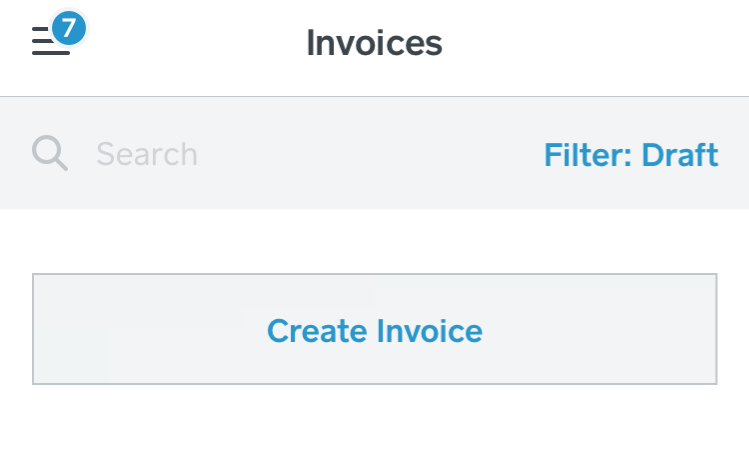
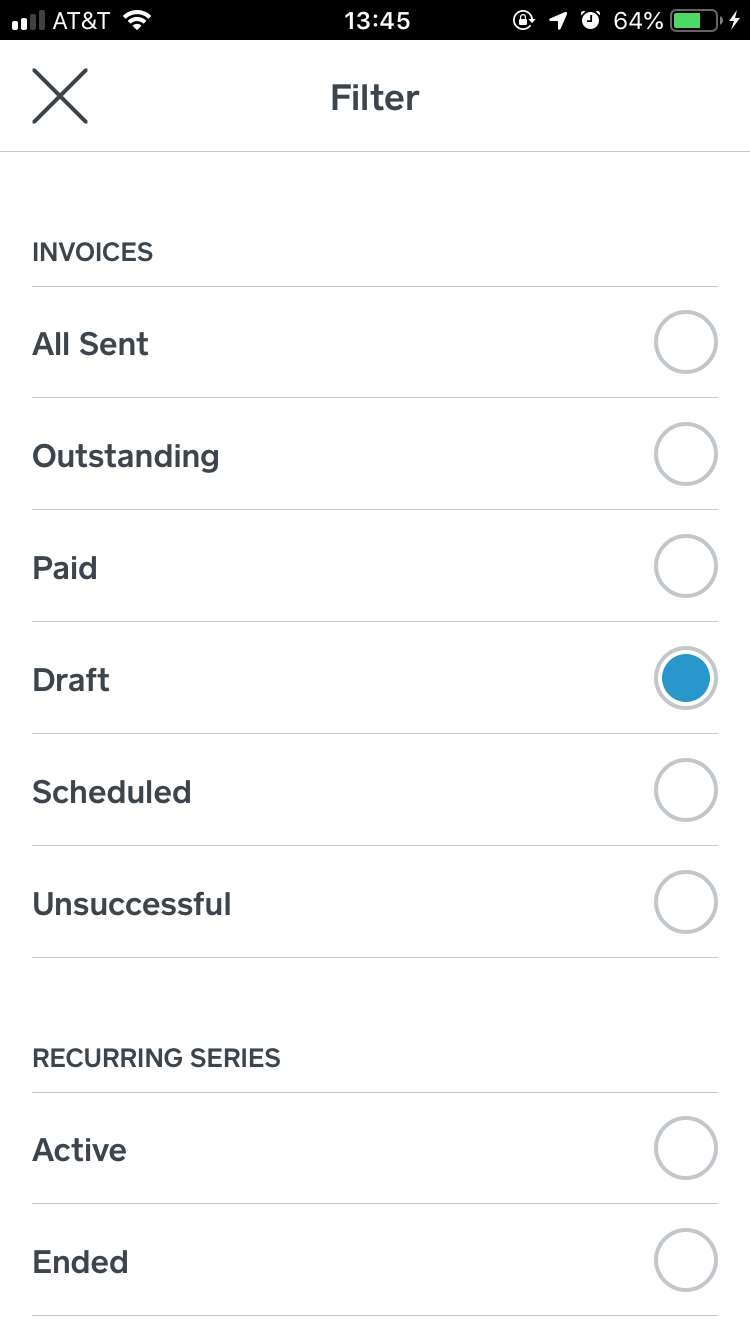
From your online Square Dashboard: click Invoices > then click All Invoices > select Draft
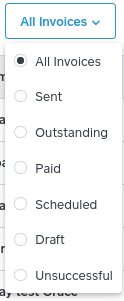
If your drafts aren't appearing in the app or on your Dashboard reply here to let me know and I'll start a case for you with our CS team.
Seller Community Manager
- Mark as New
- Bookmark
- Subscribe
- Subscribe to RSS Feed
- Permalink
- Report
- Subscribe to RSS Feed
- Mark Thread as New
- Mark Thread as Read
- Float this Thread for Current User
- Bookmark
- Subscribe
- Printer Friendly Page
Sorry for the delay here. I checked the Draft list through the online Dashboard, and it shows "No Invoices for This Filter." I had checked through that list earlier and not seen them there before.
However, I stumbled upon the answer - I had to hit "Recurring" on the top-left menu in the dashboard, and I believe I found the drafts in there. So I think we're good - thank you regardless!

- Subscribe to RSS Feed
- Mark Thread as New
- Mark Thread as Read
- Float this Thread for Current User
- Bookmark
- Subscribe
- Printer Friendly Page
Glad to hear you were able to find what you were looking for, @Nicris! Let us know if you run into any other issues.
Seller Community UX Designer

- Subscribe to RSS Feed
- Mark Thread as New
- Mark Thread as Read
- Float this Thread for Current User
- Bookmark
- Subscribe
- Printer Friendly Page
It doesnt work at all!@!!
- Mark as New
- Bookmark
- Subscribe
- Subscribe to RSS Feed
- Permalink
- Report
- Subscribe to RSS Feed
- Mark Thread as New
- Mark Thread as Read
- Float this Thread for Current User
- Bookmark
- Subscribe
- Printer Friendly Page
Same here. So frustating. It doesnt work anyhwhere: app, phone, computer!
- Mark as New
- Bookmark
- Subscribe
- Subscribe to RSS Feed
- Permalink
- Report

- Subscribe to RSS Feed
- Mark Thread as New
- Mark Thread as Read
- Float this Thread for Current User
- Bookmark
- Subscribe
- Printer Friendly Page
Hi @dr_wildermann - Thanks for reaching out!
Sorry to hear that you're experiencing some difficulty.
I'm more than happy to help you get to the bottom of your Invoices issue. Do you mind sharing more details or even screenshots for the difficulty that you're experiencing?
Community Moderator, Square
Sign in and click Mark as Best Answer if my reply answers your question.
- Mark as New
- Bookmark
- Subscribe
- Subscribe to RSS Feed
- Permalink
- Report

Square Community
Square Products