

- Subscribe to RSS Feed
- Mark Thread as New
- Mark Thread as Read
- Float this Thread for Current User
- Bookmark
- Subscribe
- Printer Friendly Page
No "Pay Invoice "button showing
When I send an invoice the "Pay Invoice" button simply does not show in the e-mail... no matter what..
- Mark as New
- Bookmark
- Subscribe
- Subscribe to RSS Feed
- Permalink
- Report



- Subscribe to RSS Feed
- Mark Thread as New
- Mark Thread as Read
- Float this Thread for Current User
- Bookmark
- Subscribe
- Printer Friendly Page
Hi there, @NVAc 👋 Thanks for reaching out to us here! So sorry for the trouble you are experiencing with your Invoices, but we are here to help.
This sounds frustrating, indeed. Do you have a screenshot example of what your customers are seeing when they receive their Invoices? Also - did your customer make you aware of this issue or is this something you are seeing when previewing the Invoice from your Dashboard?
I will keep an eye out for your reply!
Community Moderator, Square
Sign in and click Mark as Best Answer if my reply answers your question.
- Mark as New
- Bookmark
- Subscribe
- Subscribe to RSS Feed
- Permalink
- Report

- Subscribe to RSS Feed
- Mark Thread as New
- Mark Thread as Read
- Float this Thread for Current User
- Bookmark
- Subscribe
- Printer Friendly Page
I have been searching everywhere for an answer to this. I came across the advice to go to my dashboard and click share and then send that link in an email. But that is a work around for the fact that my invoice simply does not have a Pay Invoice button at all. Attaching a screenshot. And it has nothing to do with the browser or older machines etc. Everything is up to date, as well as my clients set up. What do I need to do to get this pay invoice button to show up?
Any help is appreciated.

- Mark as New
- Bookmark
- Subscribe
- Subscribe to RSS Feed
- Permalink
- Report

- Subscribe to RSS Feed
- Mark Thread as New
- Mark Thread as Read
- Float this Thread for Current User
- Bookmark
- Subscribe
- Printer Friendly Page
Have you asked your clients if they are seeing the Pay Invoice button in the email you are sending them, @sheilah77? The reason I ask is because the screenshot you included in your post is from the confirmation email that is sent to you when you send an invoice. The first screenshot below is the email you're looking at - the confirmation email sent to the business who created the invoice:
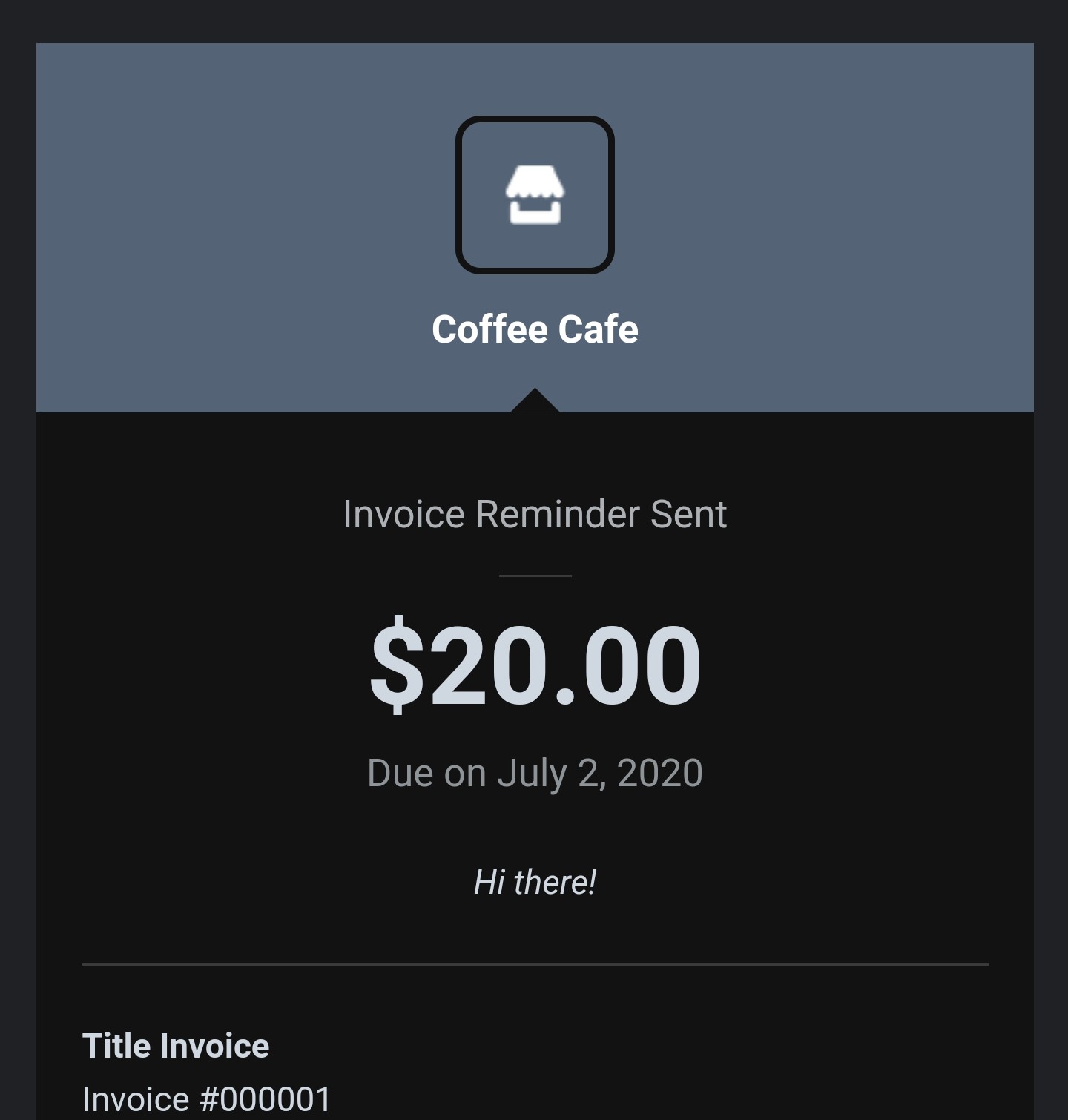
You'll notice that in the screenshot above - like in your screenshot - there is no Pay Invoice button. Below is what your client sees - the first image (New Invoice) is the original email, and the second image (Invoice Reminder) is of the reminder email. Your clients will see the button in the emails they receive:


If this isn't what your client is seeing, are you able to respond here with a screenshot? Thanks in advance!
Community Moderator, Square
Sign in and click Mark as Best Answer if my reply answers your question.
- Subscribe to RSS Feed
- Mark Thread as New
- Mark Thread as Read
- Float this Thread for Current User
- Bookmark
- Subscribe
- Printer Friendly Page
Perfect. You are quite correct. I sent an invoice to myself and I can see the Pay Invoice button. So this totally answered my problem. Thank you so much for the clear and detailed explanation!
- Mark as New
- Bookmark
- Subscribe
- Subscribe to RSS Feed
- Permalink
- Report

Square Community
Square Products