

- Subscribe to RSS Feed
- Mark Thread as New
- Mark Thread as Read
- Float this Thread for Current User
- Bookmark
- Subscribe
- Printer Friendly Page
Flat Rate Shipping Not Showing Up Even with Address Entered
I am trying to test my site and the flat rate shipping rate isn't showing up. It just says Free Shipping.


- Mark as New
- Bookmark
- Subscribe
- Subscribe to RSS Feed
- Permalink
- Report



- Subscribe to RSS Feed
- Mark Thread as New
- Mark Thread as Read
- Float this Thread for Current User
- Bookmark
- Subscribe
- Printer Friendly Page
Hello @renfestcorona thanks for your post. I'm sorry you're having trouble with this; can you post your website so maybe I can take a quick look? You may also want to check out your individual items...there are shipping settings in each item you sell, so see if that is set for anything different.
Also go into and edit/check your setting for this shipping profile. Make sure you have a specific country (USA for example) added in this area. See this example...

Here are some post with more info about setting shipping info:
https://squareup.com/help/us/en/article/7668-set-up-item-level-shipping-rates-with-square-online
I hope this info may help with answering your question.
- Mark as New
- Bookmark
- Subscribe
- Subscribe to RSS Feed
- Permalink
- Report
- Subscribe to RSS Feed
- Mark Thread as New
- Mark Thread as Read
- Float this Thread for Current User
- Bookmark
- Subscribe
- Printer Friendly Page
Hello! Looking at this now. the website is renfestcorona.square.site
- Mark as New
- Bookmark
- Subscribe
- Subscribe to RSS Feed
- Permalink
- Report
- Subscribe to RSS Feed
- Mark Thread as New
- Mark Thread as Read
- Float this Thread for Current User
- Bookmark
- Subscribe
- Printer Friendly Page
I have attempted to follow your instructions but still am not seeing the shipping rate being charged. It still says Free Shipping in the store.
I tried going into the item settings and I don't see any shipping settings there. the only thing I see is this:

- Mark as New
- Bookmark
- Subscribe
- Subscribe to RSS Feed
- Permalink
- Report
- Subscribe to RSS Feed
- Mark Thread as New
- Mark Thread as Read
- Float this Thread for Current User
- Bookmark
- Subscribe
- Printer Friendly Page
I updated the Shipping profile to a custom profile and selected the items listed in the store, but now it doesn't let me do a range of prices based on item quantity.
Regardless, the shipping option doesn't show up at all anyway.


- Mark as New
- Bookmark
- Subscribe
- Subscribe to RSS Feed
- Permalink
- Report



- Subscribe to RSS Feed
- Mark Thread as New
- Mark Thread as Read
- Float this Thread for Current User
- Bookmark
- Subscribe
- Printer Friendly Page
Hi @renfestcorona 👋
I believe the custom shipping profile only has the option to offer a flat rate. I will need to confirm this, though.
Are you still having trouble generating a shipping rate on the checkout page? I was able to test out your current shipping settings, and I did receive a rate when I tested:
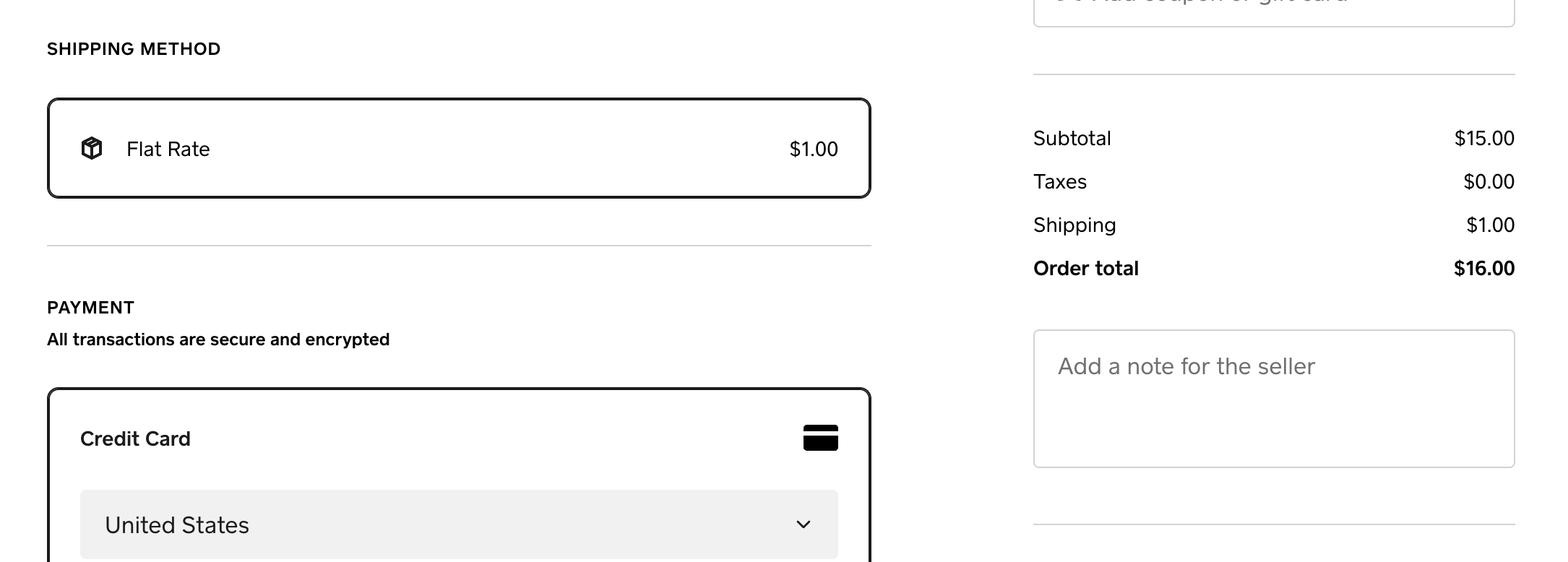
If you are still not seeing the shipping charge, please let me know the item you are testing out. I'll also let you know what I find out in regards to custom shipping profiles, and the type of shipping rules you can apply.
P.S. Welcome to the Seller Community! 🎉
- Mark as New
- Bookmark
- Subscribe
- Subscribe to RSS Feed
- Permalink
- Report

Square Community
Square Products