

- Subscribe to RSS Feed
- Mark Thread as New
- Mark Thread as Read
- Float this Thread for Current User
- Bookmark
- Subscribe
- Printer Friendly Page
How can I change the header banner in the payment screen / check out screen from white to an image
How can I change the header banner in the payment screen / check out screen from white to an image
my logo is a png and is obscured by the white background
- Mark as New
- Bookmark
- Subscribe
- Subscribe to RSS Feed
- Permalink
- Report



- Subscribe to RSS Feed
- Mark Thread as New
- Mark Thread as Read
- Float this Thread for Current User
- Bookmark
- Subscribe
- Printer Friendly Page
Hey @jstpatrice,
Thanks for reaching out!
Are you able to provide a screenshot so I can get more context into which section of the app and what version you're using here?
I'm not sure that background would be editable, but happy to have a further look and suggest what I can!
Square, Australia
Sign in and click Mark as Best Answer if my reply answers your question.
- Mark as New
- Bookmark
- Subscribe
- Subscribe to RSS Feed
- Permalink
- Report
- Subscribe to RSS Feed
- Mark Thread as New
- Mark Thread as Read
- Float this Thread for Current User
- Bookmark
- Subscribe
- Printer Friendly Page
Hi @Seamus
the header for my homepage doesnt show on the 'secure checkout' screen
please see below links
thanks!
- Mark as New
- Bookmark
- Subscribe
- Subscribe to RSS Feed
- Permalink
- Report
- Subscribe to RSS Feed
- Mark Thread as New
- Mark Thread as Read
- Float this Thread for Current User
- Bookmark
- Subscribe
- Printer Friendly Page
Hey @jstpatrice,
I'm not able to access the google drive unfortunately, it's set to private.
You can post an image direct to this thread using the camera button here:
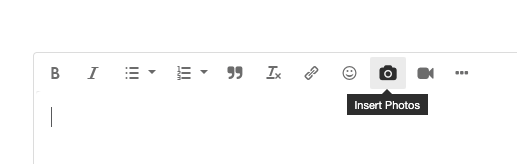
I'm wondering if the issue may be that you're using a PNG with a transparent background?
Square, Australia
Sign in and click Mark as Best Answer if my reply answers your question.
- Mark as New
- Bookmark
- Subscribe
- Subscribe to RSS Feed
- Permalink
- Report
- Subscribe to RSS Feed
- Mark Thread as New
- Mark Thread as Read
- Float this Thread for Current User
- Bookmark
- Subscribe
- Printer Friendly Page
Hi @Seamus please see attached
as you can see the header image is not being loaded on the payment screen


- Mark as New
- Bookmark
- Subscribe
- Subscribe to RSS Feed
- Permalink
- Report
- Subscribe to RSS Feed
- Mark Thread as New
- Mark Thread as Read
- Float this Thread for Current User
- Bookmark
- Subscribe
- Printer Friendly Page
Ah yep, I've got you.
I took a look and unfortunately there is no way to change the colour of the background here - changes can be applied to most other pages, but unfortunately not the checkout page.
I definitely see the issue though - you want to be using the logo with the transparent background because it works with your setup everywhere else on the website. While I unfortunately don't have a workaround for this, I have moved your post to our feature requests board so we can track the issue.
As a workaround in the meantime, you could consider maybe changing the colour of the text on the logo to something that will show up OK on white and the image background (yellow maybe?). You might also want to get in touch with support - it's possible this may be a bug, in which case they can file a bug report with our eCommerce team.
You can call support on 1800 760 137 (Mon-Fri, 9am-5pm Melbourne time), or contact us via online chat or email:
1. Sign in to your Square account
2. Head to our contact page https://squareup.com/help/au/en/contact
3. Go to "Other"" then "I don't see my issue"
4. Click "Message us" or "Email us"
Square, Australia
Sign in and click Mark as Best Answer if my reply answers your question.
- Mark as New
- Bookmark
- Subscribe
- Subscribe to RSS Feed
- Permalink
- Report

Square Community
Square Products