

- Subscribe to RSS Feed
- Mark Thread as New
- Mark Thread as Read
- Float this Thread for Current User
- Bookmark
- Subscribe
- Printer Friendly Page
I can't see my items to select for Sales Tax
Ever since they moved the Sales Tax from under Items to under Account/Settings, when I click on the Sales Tax rule I already have entered to select more items to add to it, nothing shows up on the Item list. I can scroll and click things like they're there, but I can't actually see anything to know what I'm clicking! I can't what items are already selected for Sales Tax or what items I need to add. So I'm having to manually open each item individually to see if the sales tax is correct or not.
Side note...I duplicated items to create new items, but why would the new item not have sales tax already selected like the item I duplicated it from does??
- Mark as New
- Bookmark
- Subscribe
- Subscribe to RSS Feed
- Permalink
- Report



- Subscribe to RSS Feed
- Mark Thread as New
- Mark Thread as Read
- Float this Thread for Current User
- Bookmark
- Subscribe
- Printer Friendly Page
Thanks for reaching out with your query, @JulieStafford!
I've just gone ahead and tested the Sales Tax function on my own account and found I was able to view the items the tax is currently applied to, along with the items remaining that I can add the tax to. See my below screenshot and let me know if you have the option on your end to select the items.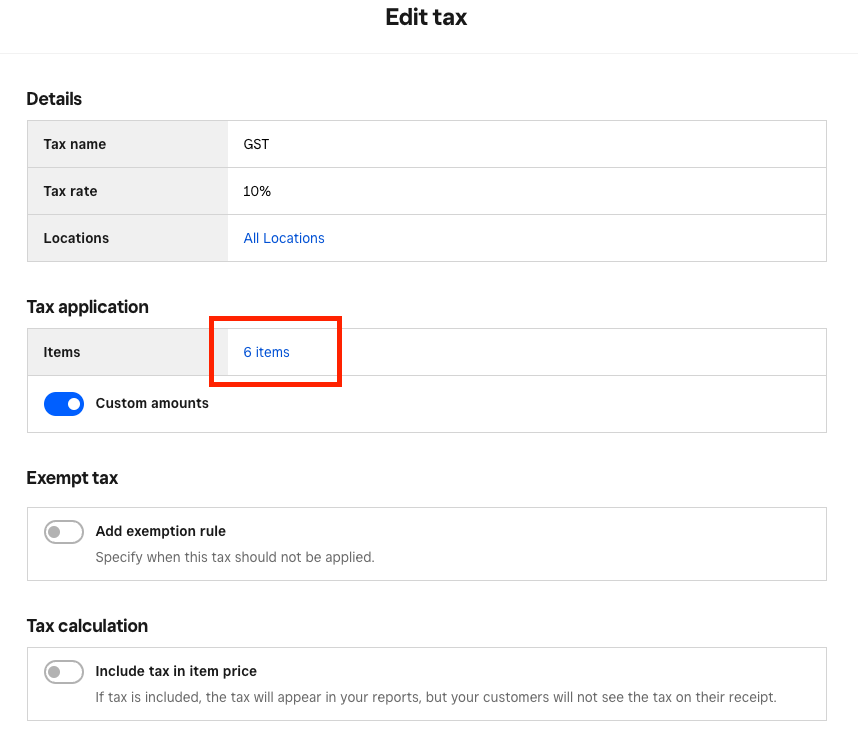
On duplicating items, I tested this function on my account as well and found that the Sales Tax applied to the original item also appeared on the duplicated item. When duplicating an item, you have the option to confirm the duplicated item information before hitting Save.
During this step, it's important to review the Taxes field to ensure the correct tax is being applied. You can see this in the below screenshot.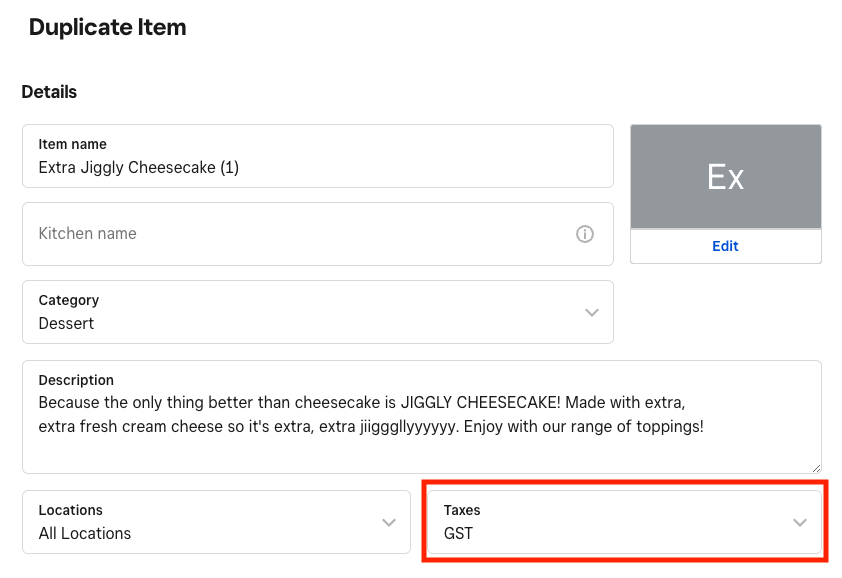
Let me know if you have any further questions here!
Community Moderator, Australia, Square
Sign in and click Mark as Best Answer if my reply answers your question.
- Mark as New
- Bookmark
- Subscribe
- Subscribe to RSS Feed
- Permalink
- Report

Square Community
Square Products