
- Home
- >
- Help
- >
- Online Store
- >
- I can't turn off 'item sync' on Square Online.

- Subscribe to RSS Feed
- Mark Thread as New
- Mark Thread as Read
- Float this Thread for Current User
- Bookmark
- Subscribe
- Printer Friendly Page
I can't turn off 'item sync' on Square Online.
I can't turn off 'item sync' on Square Online. This means that when I create a new item from Square Online (instead of POS), and there is 0 inventory on POS, it cannot be ordered online.
I can tick the 'item sync' selection off, but once I save it and refresh, it automatically reverts back to on.
Can someone please help me?
- Mark as New
- Bookmark
- Subscribe
- Subscribe to RSS Feed
- Permalink
- Report



- Subscribe to RSS Feed
- Mark Thread as New
- Mark Thread as Read
- Float this Thread for Current User
- Bookmark
- Subscribe
- Printer Friendly Page
Heya @eqyh 👋
I'm sorry to hear about the trouble with your item sync on Square Online. This definitely sounds odd, as you should be able to turn item sync off on your site. I'd recommend getting in touch with our support team on 1800 760 137 (Mon-Fri, 9am-5pm AEDT), to take a closer look at your settings and file a ticket with engineering if necessary.
Have you also considered turning off stock tracking for these items? You can do this under Additional Information > Stock when creating an item on your Square Online dashboard.
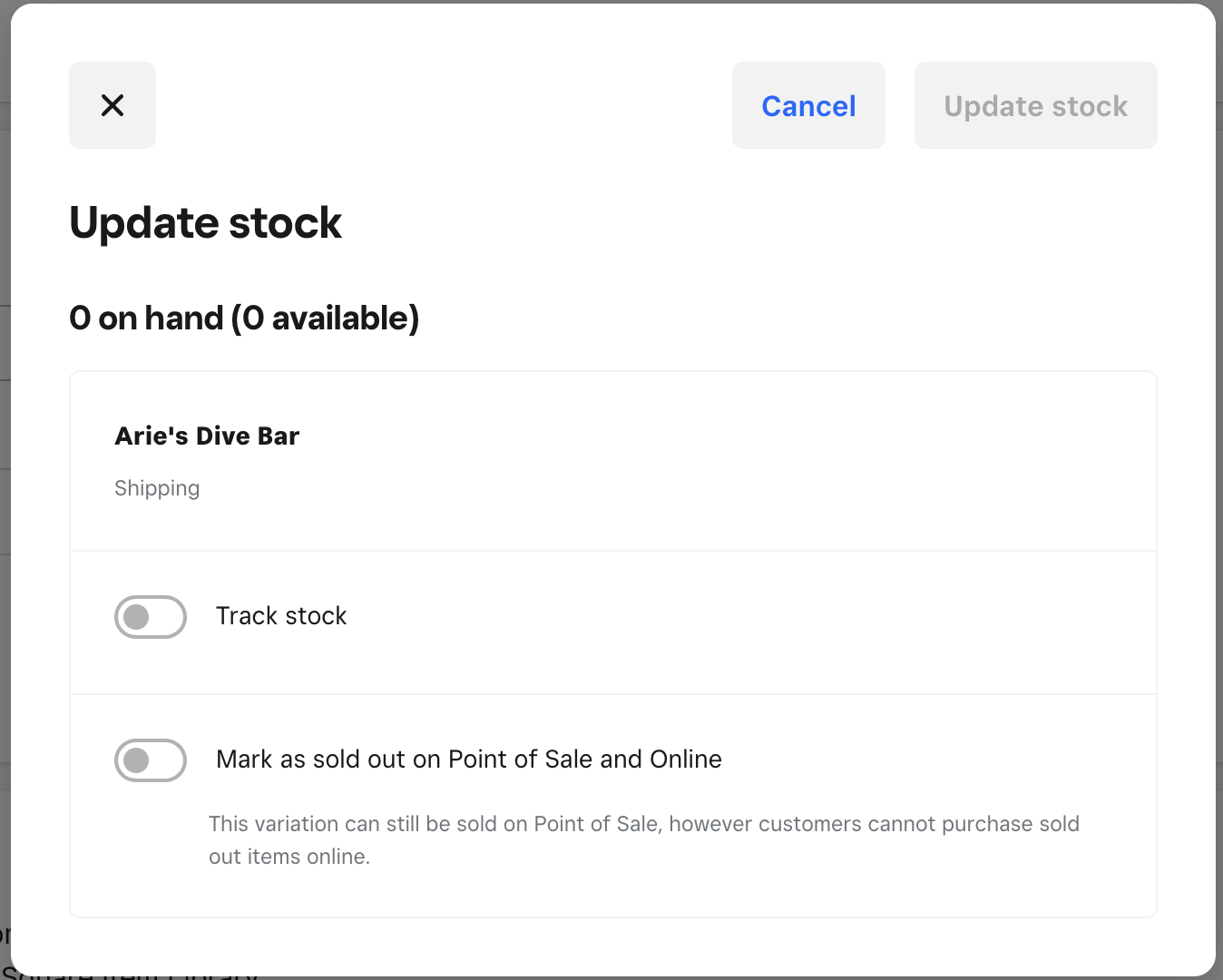
When stock tracking is turned off, you can sell these items online and on the POS - just keep in mind the stock numbers won't go down when you make a sale.
- Mark as New
- Bookmark
- Subscribe
- Subscribe to RSS Feed
- Permalink
- Report
- Subscribe to RSS Feed
- Mark Thread as New
- Mark Thread as Read
- Float this Thread for Current User
- Bookmark
- Subscribe
- Printer Friendly Page
I have 2 test items and both have different inventory settings even all other settings are the same.
The one with the "update stock" option gives me this spinning wheel of death when I click onto it.

The other one, I can't click on anything.

What's happening here? How can I fix this?
- Mark as New
- Bookmark
- Subscribe
- Subscribe to RSS Feed
- Permalink
- Report
- Subscribe to RSS Feed
- Mark Thread as New
- Mark Thread as Read
- Float this Thread for Current User
- Bookmark
- Subscribe
- Printer Friendly Page
This definitely seems odd, @eqyh! Have you had a chance to clear the cache on your browser? I'd also still recommend reaching out to support so we can dig in a bit deeper.
- Mark as New
- Bookmark
- Subscribe
- Subscribe to RSS Feed
- Permalink
- Report

Square Community
Square Products