- Subscribe to RSS Feed
- Mark Thread as New
- Mark Thread as Read
- Float this Thread for Current User
- Bookmark
- Subscribe
- Printer Friendly Page
I haven't logged in to update in a while, so when I did, I was surprised to see this warning:
Deceptive site ahead
Attackers on trinalynnconner.weebly.com may trick you into doing something dangerous like installing software or revealing your personal information (for example, passwords, phone numbers, or credit cards).
What do I need to do?
- Mark as New
- Bookmark
- Subscribe
- Subscribe to RSS Feed
- Permalink
- Report
- Subscribe to RSS Feed
- Mark Thread as New
- Mark Thread as Read
- Float this Thread for Current User
- Bookmark
- Subscribe
- Printer Friendly Page
I was looking at the rest of the settings and realized my site was listed as an online store, but it's really more of a blog and information. I changed it to a blog, published it again, and the warning is gone as of now.
- Mark as New
- Bookmark
- Subscribe
- Subscribe to RSS Feed
- Permalink
- Report
- Subscribe to RSS Feed
- Mark Thread as New
- Mark Thread as Read
- Float this Thread for Current User
- Bookmark
- Subscribe
- Printer Friendly Page
Hi @tlconner
you may need to update your SSL if you are seeing that message. Since it has been some time since you have longed in, it could be outdated.
Square Champion
Check out Square support center for additional help.
"If you don't stand for something, you'll fall for anything"
- Mark as New
- Bookmark
- Subscribe
- Subscribe to RSS Feed
- Permalink
- Report
- Subscribe to RSS Feed
- Mark Thread as New
- Mark Thread as Read
- Float this Thread for Current User
- Bookmark
- Subscribe
- Printer Friendly Page
I checked, and the SSL is enabled. How do I update?
- Mark as New
- Bookmark
- Subscribe
- Subscribe to RSS Feed
- Permalink
- Report
- Subscribe to RSS Feed
- Mark Thread as New
- Mark Thread as Read
- Float this Thread for Current User
- Bookmark
- Subscribe
- Printer Friendly Page
I was looking at the rest of the settings and realized my site was listed as an online store, but it's really more of a blog and information. I changed it to a blog, published it again, and the warning is gone as of now.
- Mark as New
- Bookmark
- Subscribe
- Subscribe to RSS Feed
- Permalink
- Report
- Subscribe to RSS Feed
- Mark Thread as New
- Mark Thread as Read
- Float this Thread for Current User
- Bookmark
- Subscribe
- Printer Friendly Page
@tlconner wrote:I was looking at the rest of the settings and realized my site was listed as an online store, but it's really more of a blog and information. I changed it to a blog, published it again, and the warning is gone as of now.
Ahh yes, being a store you would have needed an SSL, blog though not so much. Glad you got it all figured out.
Square Champion
Check out Square support center for additional help.
"If you don't stand for something, you'll fall for anything"
- Mark as New
- Bookmark
- Subscribe
- Subscribe to RSS Feed
- Permalink
- Report
- Subscribe to RSS Feed
- Mark Thread as New
- Mark Thread as Read
- Float this Thread for Current User
- Bookmark
- Subscribe
- Printer Friendly Page
Well, now I am randomly getting it again on my home page. What is going on?
- Mark as New
- Bookmark
- Subscribe
- Subscribe to RSS Feed
- Permalink
- Report
- Subscribe to RSS Feed
- Mark Thread as New
- Mark Thread as Read
- Float this Thread for Current User
- Bookmark
- Subscribe
- Printer Friendly Page
@tlconner wrote:Well, now I am randomly getting it again on my home page. What is going on?
try to clear your browser cache and see if that fixes it and/or try going to it in incognito.. I just went to your site and did not come across that error.
keep us posted!
Square Champion
Check out Square support center for additional help.
"If you don't stand for something, you'll fall for anything"
- Mark as New
- Bookmark
- Subscribe
- Subscribe to RSS Feed
- Permalink
- Report
- Subscribe to RSS Feed
- Mark Thread as New
- Mark Thread as Read
- Float this Thread for Current User
- Bookmark
- Subscribe
- Printer Friendly Page
I shut everything down and cleared the cache and tried again and still got the error. I tried in incognito and no errors. I tried a different browser and no error. I use Chrome. Trying on Safari worked fine.
- Mark as New
- Bookmark
- Subscribe
- Subscribe to RSS Feed
- Permalink
- Report
- Subscribe to RSS Feed
- Mark Thread as New
- Mark Thread as Read
- Float this Thread for Current User
- Bookmark
- Subscribe
- Printer Friendly Page
@tlconner wrote:I shut everything down and cleared the cache and tried again and still got the error. I tried in incognito and no errors. I tried a different browser and no error. I use Chrome. Trying on Safari worked fine.
that' really odd. Have you tried on your smart phone by chance using chrome? i tried again on mine with Chrome, Incognito and on my phone and i see everything up and running fine with no danger errors.
Does Square allow you to purge cache from the back end of your site or anything similar to that by chance?
Square Champion
Check out Square support center for additional help.
"If you don't stand for something, you'll fall for anything"
- Mark as New
- Bookmark
- Subscribe
- Subscribe to RSS Feed
- Permalink
- Report
- Subscribe to RSS Feed
- Mark Thread as New
- Mark Thread as Read
- Float this Thread for Current User
- Bookmark
- Subscribe
- Printer Friendly Page
I don't know, I haven't seen anything about that on the menus. I have basic knowledge of all of this, sorry.
- Mark as New
- Bookmark
- Subscribe
- Subscribe to RSS Feed
- Permalink
- Report
- Subscribe to RSS Feed
- Mark Thread as New
- Mark Thread as Read
- Float this Thread for Current User
- Bookmark
- Subscribe
- Printer Friendly Page
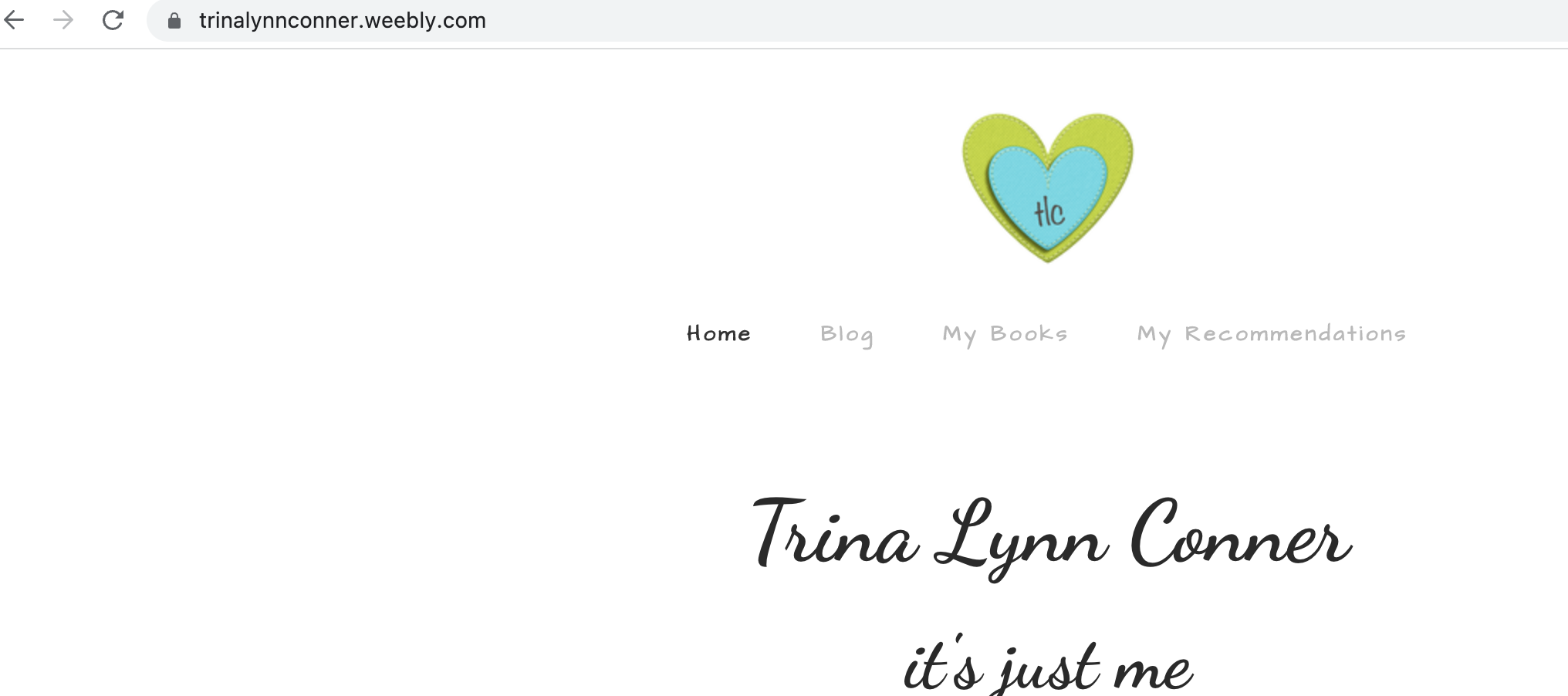
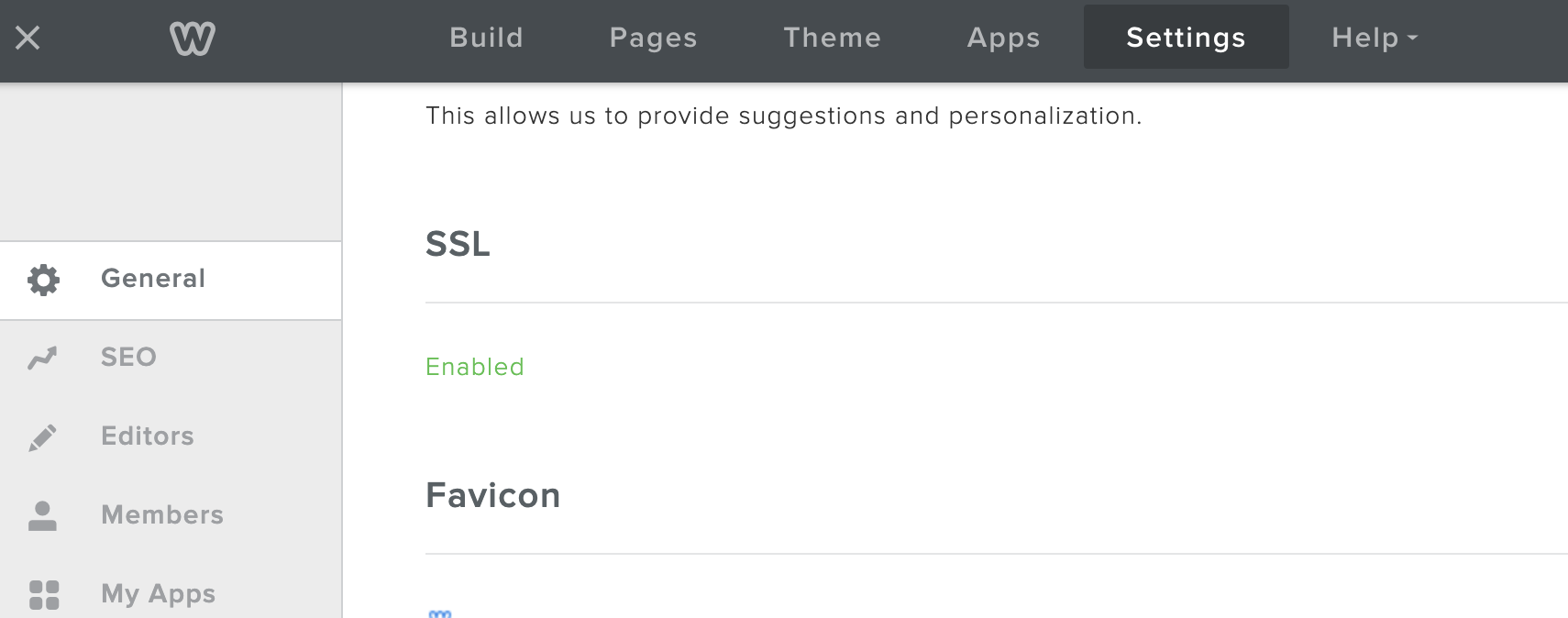
Just wanted to jump onto this thread to assist. When I looked at the settings from the backend, the SSL was not enabled. Where were you checking for this @tlconner? It should be available under the Settings tab in the editor.
I re-enabled it, and now I see the site is loading securely with a lock.
Screenshot of the Settings tab:
- Mark as New
- Bookmark
- Subscribe
- Subscribe to RSS Feed
- Permalink
- Report
- Subscribe to RSS Feed
- Mark Thread as New
- Mark Thread as Read
- Float this Thread for Current User
- Bookmark
- Subscribe
- Printer Friendly Page
It was enabled earlier when I started getting the error warnings so I disabled it to see if that would solve the issue. I just went to my site and it is still happening to me. Sometimes it's the home page and sometimes it's the blog page.
- Mark as New
- Bookmark
- Subscribe
- Subscribe to RSS Feed
- Permalink
- Report
- Subscribe to RSS Feed
- Mark Thread as New
- Mark Thread as Read
- Float this Thread for Current User
- Bookmark
- Subscribe
- Printer Friendly Page
Hmm.. that is strange. I believe you mentioned in an earlier reply that you cleared the cache, but did you clear the cache and cookies for all time? I believe Chrome presents you with an option to clear cache from the previous day, or days, or weeks/months.
I use Chrome and it is still loading securely for me.
- Mark as New
- Bookmark
- Subscribe
- Subscribe to RSS Feed
- Permalink
- Report
- Subscribe to RSS Feed
- Mark Thread as New
- Mark Thread as Read
- Float this Thread for Current User
- Bookmark
- Subscribe
- Printer Friendly Page
I just cleared both cookies and cache again, made sure it said for all time. Closed Chrome competely, opened it back up and logged into Weebly using Square, clicked on my website link and it has the deceptive warning again on the home page.
- Mark as New
- Bookmark
- Subscribe
- Subscribe to RSS Feed
- Permalink
- Report
- Subscribe to RSS Feed
- Mark Thread as New
- Mark Thread as Read
- Float this Thread for Current User
- Bookmark
- Subscribe
- Printer Friendly Page
Do you have any kind of extensions installed on Chrome that wouldn't also work when in incognito mode?
- Mark as New
- Bookmark
- Subscribe
- Subscribe to RSS Feed
- Permalink
- Report
- Subscribe to RSS Feed
- Mark Thread as New
- Mark Thread as Read
- Float this Thread for Current User
- Bookmark
- Subscribe
- Printer Friendly Page
Not to my knowledge, but again I don't know a lot about the behind-the-scenes website stuff.
- Mark as New
- Bookmark
- Subscribe
- Subscribe to RSS Feed
- Permalink
- Report
- Subscribe to RSS Feed
- Mark Thread as New
- Mark Thread as Read
- Float this Thread for Current User
- Bookmark
- Subscribe
- Printer Friendly Page
Hmm 🤔 it definitely sounds like a local issue since myself and @Minion cannot duplicate. I recommend keeping an eye on it over the next couple of days. Perhaps it would help if you ask some friends/family in your area to visit your site to see if they also see the secure lock loading securely.
If you are still seeing the error after a couple of days, please post a screenshot of the full browser window.
Edit to add: How are you loading your website? Are you typing the URL directly into the address bar, or are you clicking on the link from a search engine results page? Can you walk us through, step by step, how you get to your page?
- Mark as New
- Bookmark
- Subscribe
- Subscribe to RSS Feed
- Permalink
- Report
- Subscribe to RSS Feed
- Mark Thread as New
- Mark Thread as Read
- Float this Thread for Current User
- Bookmark
- Subscribe
- Printer Friendly Page
I have tried both ways to access the site. I receive warning both ways.
- Mark as New
- Bookmark
- Subscribe
- Subscribe to RSS Feed
- Permalink
- Report
- Subscribe to RSS Feed
- Mark Thread as New
- Mark Thread as Read
- Float this Thread for Current User
- Bookmark
- Subscribe
- Printer Friendly Page
Are you able to reset your modem and router? These devices also store cachce, but you can clear it by resetting the devices. All you need to do is unplug both for at least 30-60 seconds, then plug back in to reboot.
- Mark as New
- Bookmark
- Subscribe
- Subscribe to RSS Feed
- Permalink
- Report
- Subscribe to RSS Feed
- Mark Thread as New
- Mark Thread as Read
- Float this Thread for Current User
- Bookmark
- Subscribe
- Printer Friendly Page
I will try that after my husband is offline. I'll update you tomorrow. Thank you!
- Mark as New
- Bookmark
- Subscribe
- Subscribe to RSS Feed
- Permalink
- Report
- Subscribe to RSS Feed
- Mark Thread as New
- Mark Thread as Read
- Float this Thread for Current User
- Bookmark
- Subscribe
- Printer Friendly Page
Okay, good luck! Definitely keep us posted 🤞
- Mark as New
- Bookmark
- Subscribe
- Subscribe to RSS Feed
- Permalink
- Report
